
This article is written by the SelfyzAI team. In short, an image generation MCP server lets an AI agent request images or edits through structured tools; the right choice depends on the path from prompt to saved asset. We reviewed current search results and project documentation, and verified our product status as of November 13, 2026.
Need an image without configuring a server?
Use SelfyzAI on the web or mobile to create images with current image models while image-generation MCP support remains on the roadmap.
Search results often emphasize a model name or install command. The practical decision also includes credentials, tool schemas, output delivery, and maintenance.
What an Image Generation MCP Server Actually Does
An image generation MCP server translates a client's structured tool call into a provider request, then returns a URL, Base64 payload, or saved-file path. The language model remains the planner; the image provider performs the generation or edit.
“Supports image generation” is therefore too vague for selection. One server may expose only text-to-image, while another adds editing, masks, references, or continued editing. Read the live tool schema rather than relying on the repository title.
In addtion to this guide, we also finished researches on Nano Banana MCP server and reviewed GPT Image MCP to offer more infomation about image MCP solutions.
The Agent-to-Image Request Flow
A dependable workflow has five visible stages: intent, tool selection, provider request, result delivery, and storage. If any stage is unclear, troubleshooting becomes guesswork.
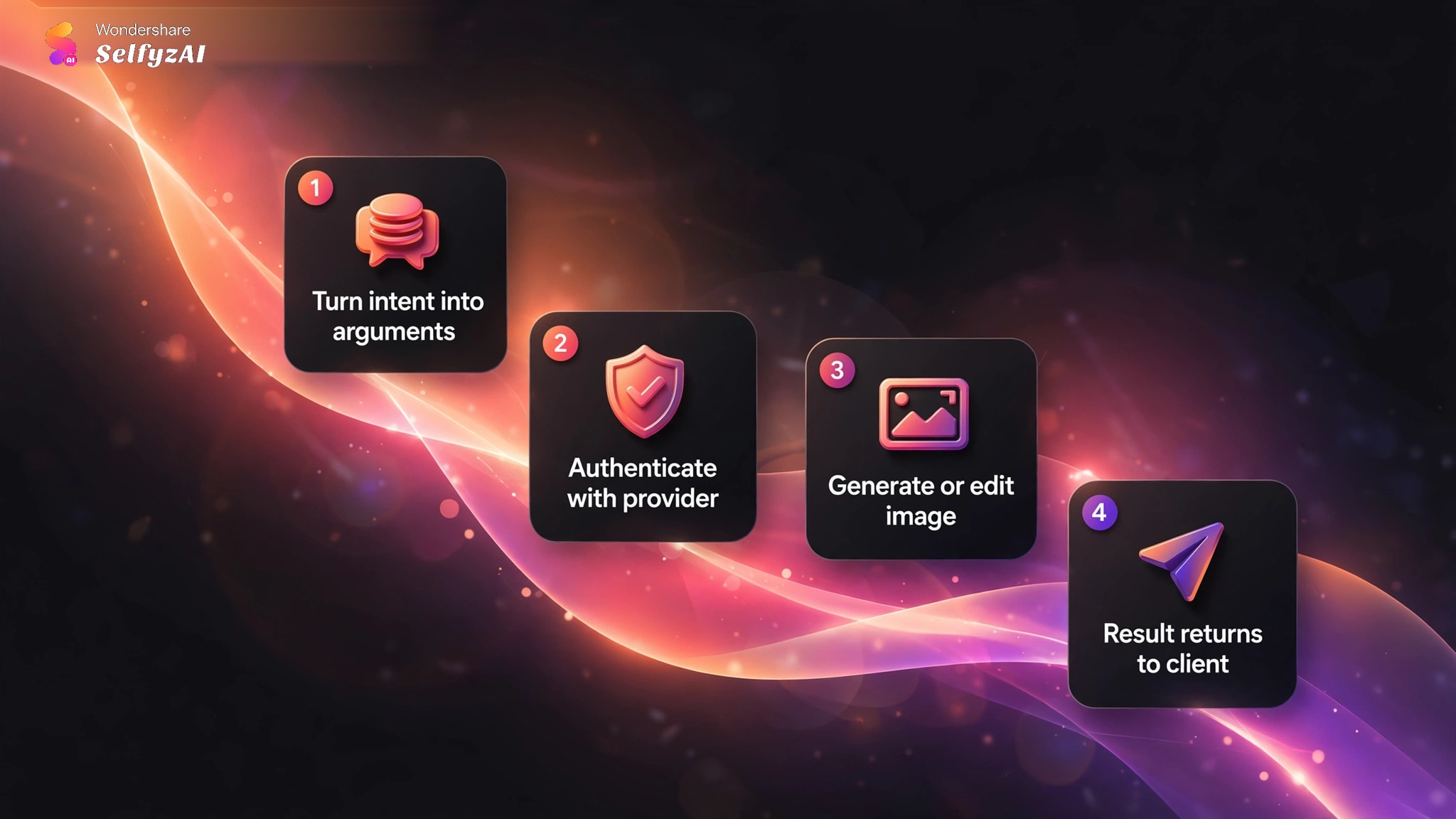
1. The agent turns intent into arguments
The client converts a request into a named tool call. Beyond a prompt, the schema may include aspect ratio, format, references, a mask, or a destination folder. Parameters differ by server and model.
2. The server authenticates with a provider
The server reads a provider credential from an environment variable, secret manager, client configuration, or local file. Confirm where the key is stored and which process can read it.
3. The provider generates or edits the image
The provider still controls its model, policy, billing, and output rules. MCP only gives the agent a structured way to call the operation.
4. The result returns to the client
Small responses may return inline; larger assets often work better as files or URLs. A successful call that leaves the image in an unknown temporary directory is not a finished workflow.
Creators who do not need agent automation can instead use a visual workspace for image generation and download.
How to Choose an Image Generation MCP Server
Choose the server by operational fit, not by the longest feature list. The following checks can be verified before you connect a real key.
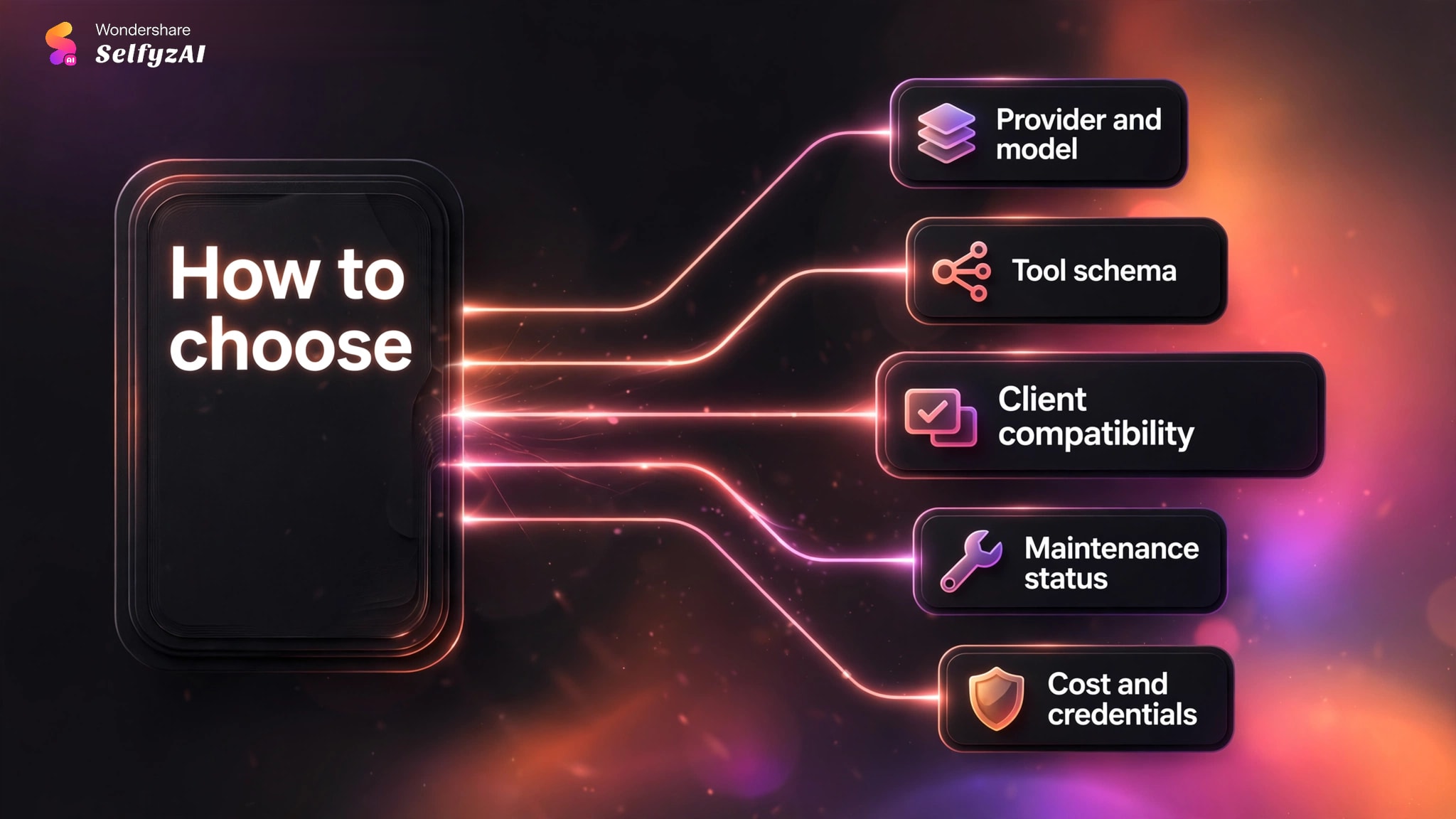
Confirm the provider and model path
Identify whether the server calls a first-party API, model host, local runtime, or intermediary. This determines who receives the prompt, bills the request, and processes the output.
Inspect the tool schema
Check each tool's name, required inputs, optional controls, and return type. For editing, verify whether the server accepts a path, URL, Base64 data, mask, or reference image.
Check client compatibility
Configuration still varies across desktop clients, coding environments, and hosted agents. Verify the transport, runtime command, path format, configuration location, and whether a local process must remain running.
Check maintenance status before installation
During our November 2026 SERP review, a prominent first-page image MCP repository was archived and read-only. Archived code can remain useful, but check its latest release, unresolved issues, dependency age, and whether the documented model identifier still works.
Decide who owns cost and credentials
Confirm whether usage is billed to your provider account, platform credits, or a hosted subscription, and whether the operator can see or proxy the credential. Do not place a production key in an unreviewed configuration.
Local, Hosted, and Direct-API MCP Compared
Deployment changes risk and maintenance. A local server gives more control over files and runtime; a hosted endpoint reduces setup; a direct wrapper keeps provider billing visible but still needs a maintained process.
| Approach | Where it runs | Credential owner | File handling | Main trade-off |
|---|---|---|---|---|
| Local server | Your machine or private host | Usually you | Direct local paths | You maintain runtime and dependencies |
| Hosted MCP endpoint | Vendor infrastructure | Varies by service | Usually URL or managed asset | Easier setup, less infrastructure visibility |
| Direct API wrapper | Local or self-hosted bridge | Your provider account | File, URL, or Base64 | Clear billing, but configuration remains yours |
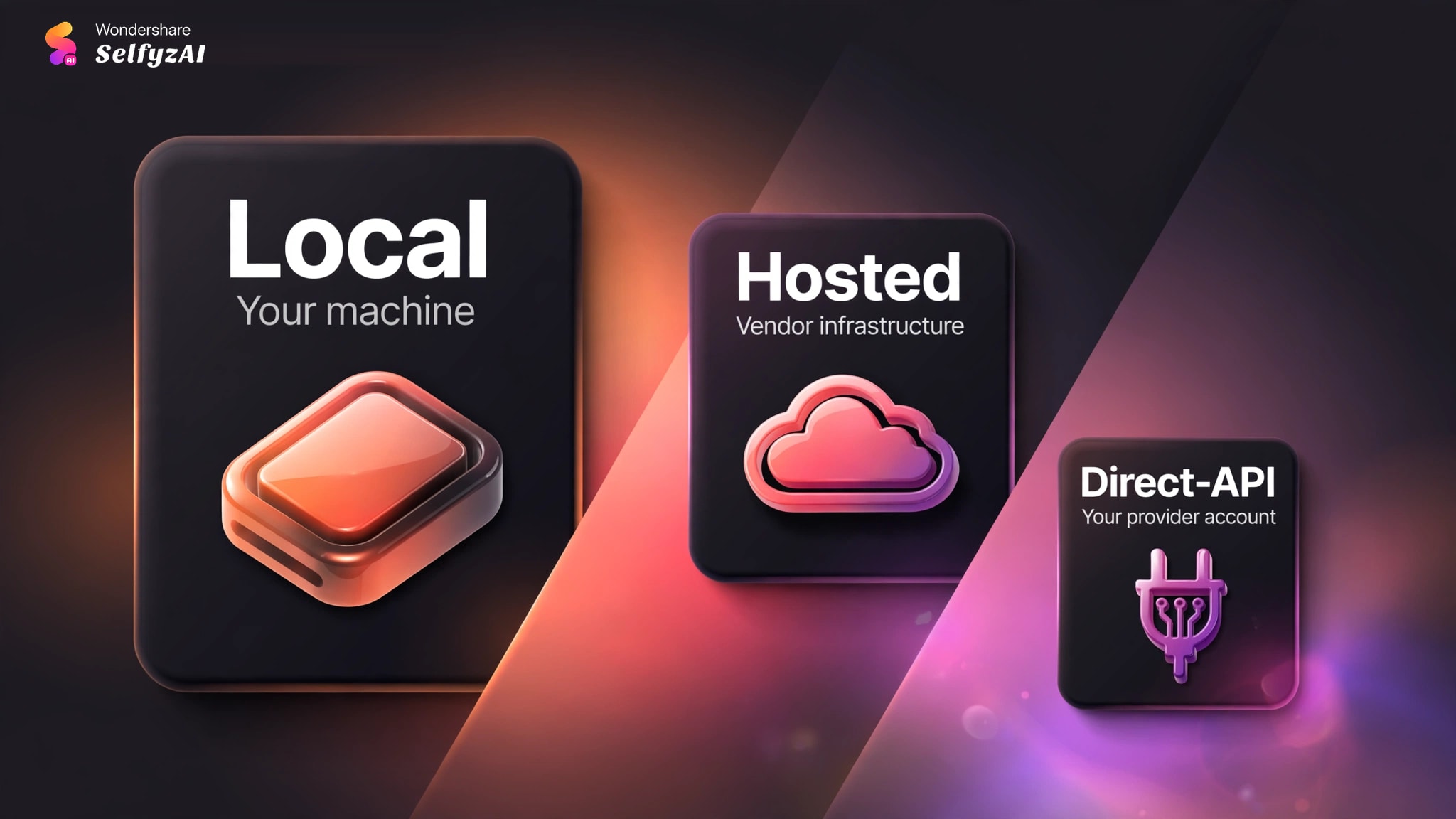
Choose local for private paths or custom storage, hosted when the team cannot maintain a runtime, and a direct wrapper when provider access already exists.
Common Failures and How to Diagnose Them
Most failures fall into four groups: authentication, schema, file access, or provider response.
Authentication errors point to key visibility or access. Schema errors mean a field is unsupported or missing. File errors usually involve paths, permissions, or formats. Provider errors can reflect policy, account status, limits, or a changed model identifier.
Diagnose one boundary at a time: start the server, list its tools, run the smallest request, then inspect the response and output path.
Where SelfyzAI Fits Today on Image MCP
The current fit is split between interface-led image creation and agent-led MV creation. As of November 13, 2026, the platform supports web and mobile image generation, including Nano Banana and GPT Image model families. This suits creators who want a visual workflow without maintaining a local server.
The current Selfyz MCP capability supports AI MV generation, with an MV Agent for the music-video workflow. Image MCP coverage is planned, without a promised date.
Our capability-fit rubric assigns three points to image access, two to relevant models, two to web/mobile access, and three to image-MCP automation. The result is 7.5 out of 10 because image MCP is not yet available.
Our verdict
Useful for image creation now, but not an image MCP route yet.
Choose it for web or mobile image creation and a path into video. Use another implementation when an agent must generate images through MCP today.
Pros
- Web and mobile
- Named models
- Image-to-video
Create an image, download the result, and continue into video when the project calls for motion.
Create AI ImagesFrequently asked questions
What is an image generation MCP server?
It is a server that exposes image-generation or editing operations as structured tools for an MCP-compatible AI client. It passes arguments to an image provider and returns a URL, Base64 response, or saved file path.
Should I choose a local or hosted image MCP server?
Choose local when you need direct file access, source review, or custom storage and can maintain the runtime. Choose hosted when simpler setup matters more than infrastructure control. In both cases, verify who processes prompts and stores credentials.
Which clients can use an MCP image generator?
Any client with compatible MCP transport and tool support may be able to use one, but configuration varies. Check the server's documented client examples, runtime, paths, transport, and authentication method rather than assuming universal compatibility.
How should an image MCP server store API keys?
Prefer environment variables or a managed secret mechanism. Avoid hard-coding keys in repositories or sharing them in screenshots. If the server writes a local configuration file, verify its location, permissions, and source-control exclusions.
Does SelfyzAI currently support image generation through MCP?
No. As of November 13, 2026, image generation is available through web and mobile experiences. The current MCP capability supports AI MV generation, with wider creative coverage planned later.
Conclusion
An image generation MCP server is valuable when an agent needs to create or edit assets inside an existing workflow. The model name is only one part of the decision. Client compatibility, tool schema, credential storage, output delivery, billing, and maintenance status determine whether the integration remains usable.
Choose an MCP route when agent control is required now. Choose SelfyzAI when the immediate need is web or mobile image creation with named models and a path into video, while accepting that image generation through its MCP is not yet available.