
This article is written by the SelfyzAI team. In short, a GPT Image MCP server wraps an image API in agent-callable tools; the difficult parts are access, edit inputs, file paths, response size, and storage. We reviewed current search results and primary project documentation, and verified our product status as of November 13, 2026.
Prefer GPT Image in a visual workspace?
Use SelfyzAI on the web or mobile to create images with current GPT Image models while image-generation MCP support remains planned for later coverage.
Searchers are trying to make a working connection: generate, edit, read a local image, and return a file without overflowing the tool response. This guide follows those tasks.
What a GPT Image MCP Server Actually Does
A GPT Image MCP server exposes image operations as structured tools. The agent selects a tool and supplies arguments; the server calls an OpenAI image endpoint or another documented GPT Image backend.
The server is the adapter that controls tool names, inputs, authentication, errors, and output delivery. Two servers using the same model can behave differently because their schemas and storage choices differ.
A “GPT Image AI agent” is the wider loop that interprets a brief, calls a tool, inspects metadata, and decides whether to continue. MCP does not remove provider billing, policy, access rules, or output review.
In addtion to GPT Image MCP, we also finished researches on Nano Banana MCP server and reviewed Best Image Generation Servers to offer more infomation about image MCP solutions
GPT Image MCP Server vs the Images API
The Images API is provider-facing; MCP is agent-facing. An application calls the API in code, while an MCP client asks a server to perform a named operation.
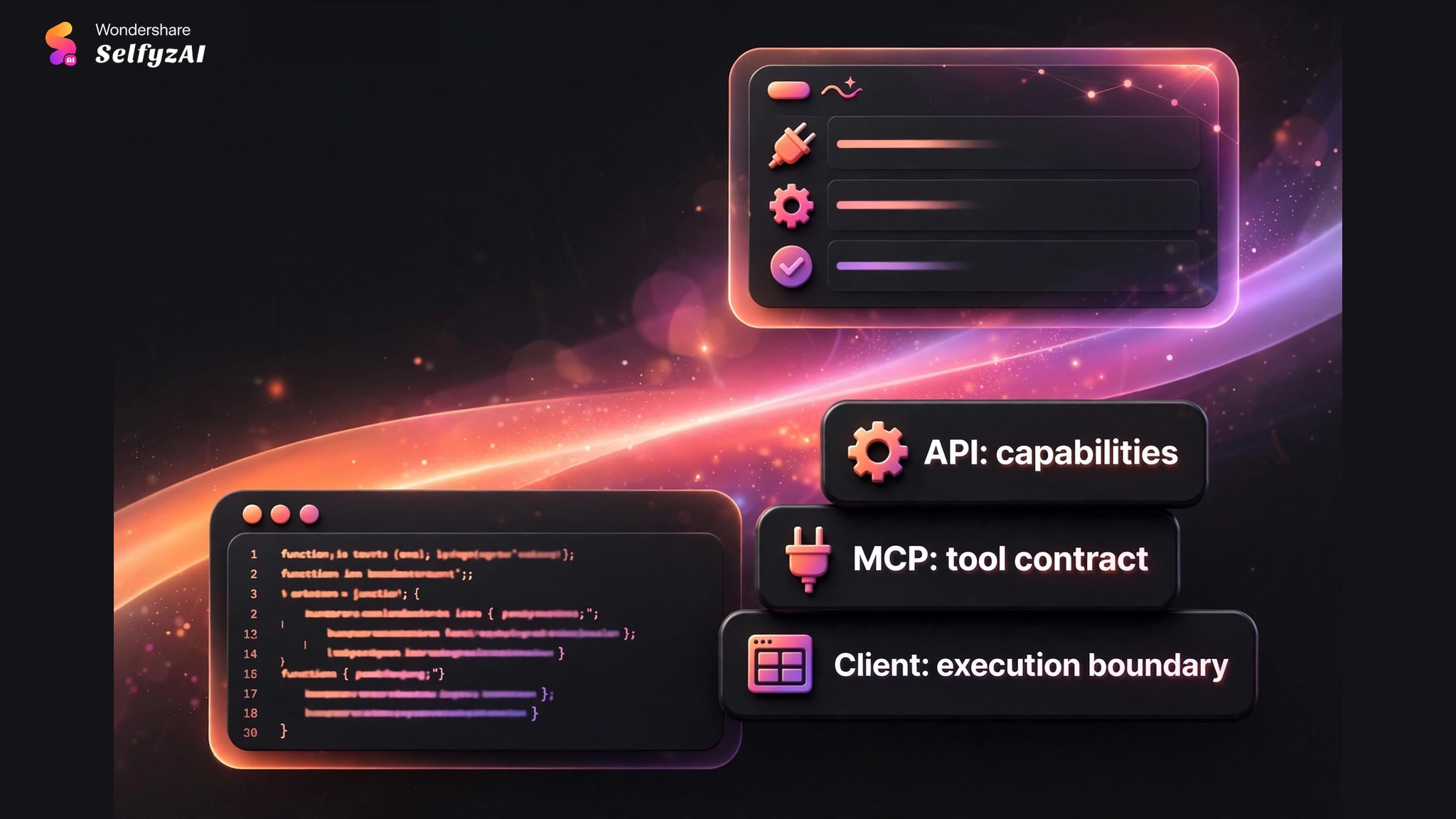
The API defines provider capabilities
The provider controls models, account access, inputs, outputs, policy checks, and billing. These can change independently of the server, so current provider documentation controls the request.
The MCP server defines the tool contract
The server chooses whether to expose create and edit separately, how to accept masks or image inputs, and what returns to the agent. A simplified schema may hide API controls.
The client defines the execution boundary
The client controls configuration, accessible directories, and response limits. Working directories and permissions can make the same server succeed in one client and fail in another.
Use MCP for agent calls inside a conversation or coding workflow, the API for full application control, and a visual workspace when manual creation matters more than automation.
Setup Checklist: Runtime, Key, Client, and Model Access
A clean setup separates runtime, credentials, model access, and tool discovery.
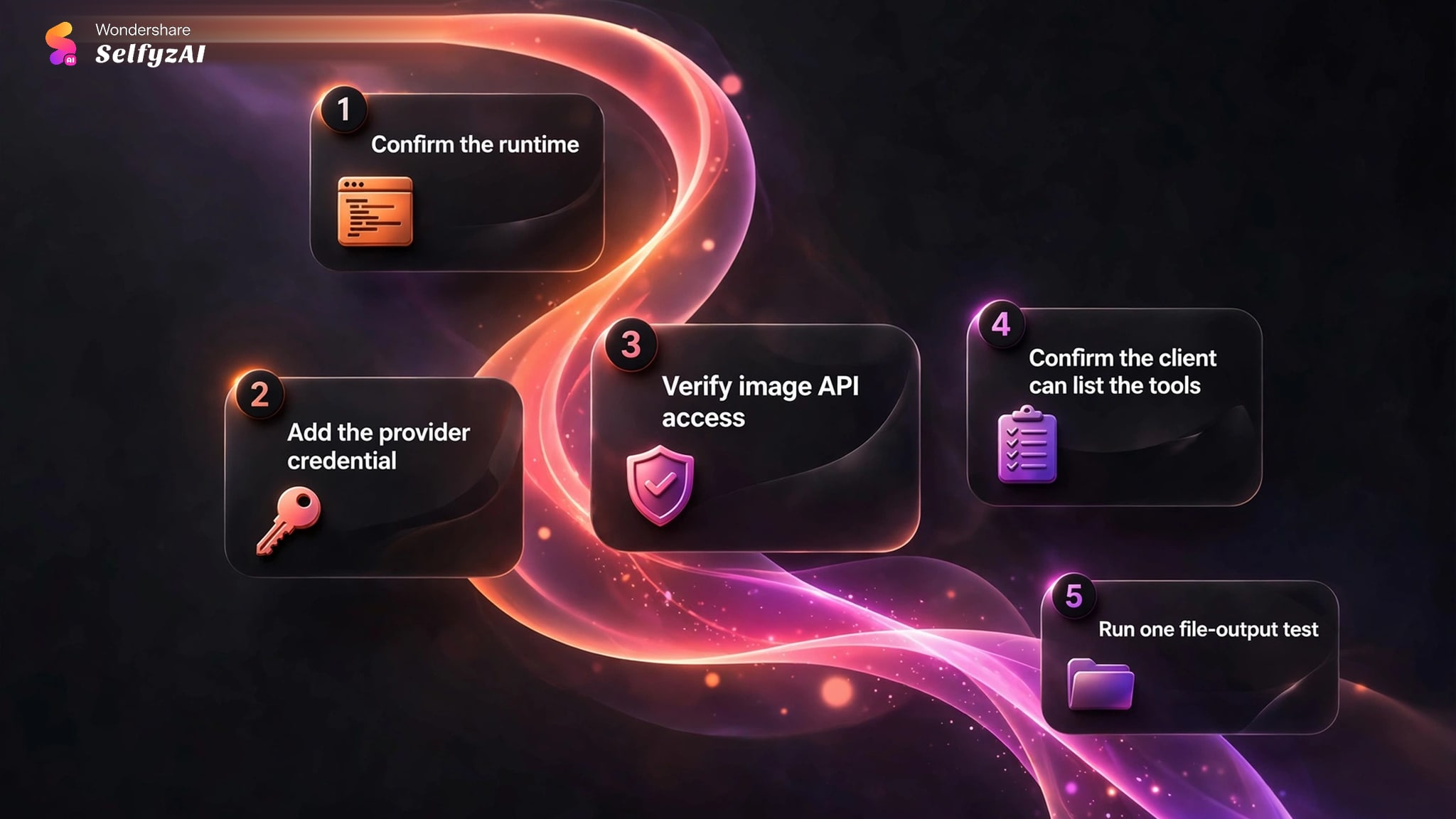
1. Confirm the runtime
Check the runtime, package manager, build step, and entry point. Confirm local build output exists and use an absolute path in the client configuration.
2. Add the provider credential
Use the documented environment variable or secret channel and confirm the server process receives it. Desktop apps may not inherit shell variables.
3. Verify image API access
A valid key may still lack image-endpoint access, billing, organization state, or regional support. Verify account and API access for the selected model.
4. Confirm the client can list the tools
Confirm the client lists the expected create and edit tools. If schemas differ from the README, check the installed version and startup log.
5. Run one file-output test
Create one small image in an explicit writable directory, then edit that file. This checks authentication, tool discovery, paths, and edit support.
Create, Edit, Mask, and Output Tools
Public implementations commonly separate generation and editing, and the agent should see that distinction.
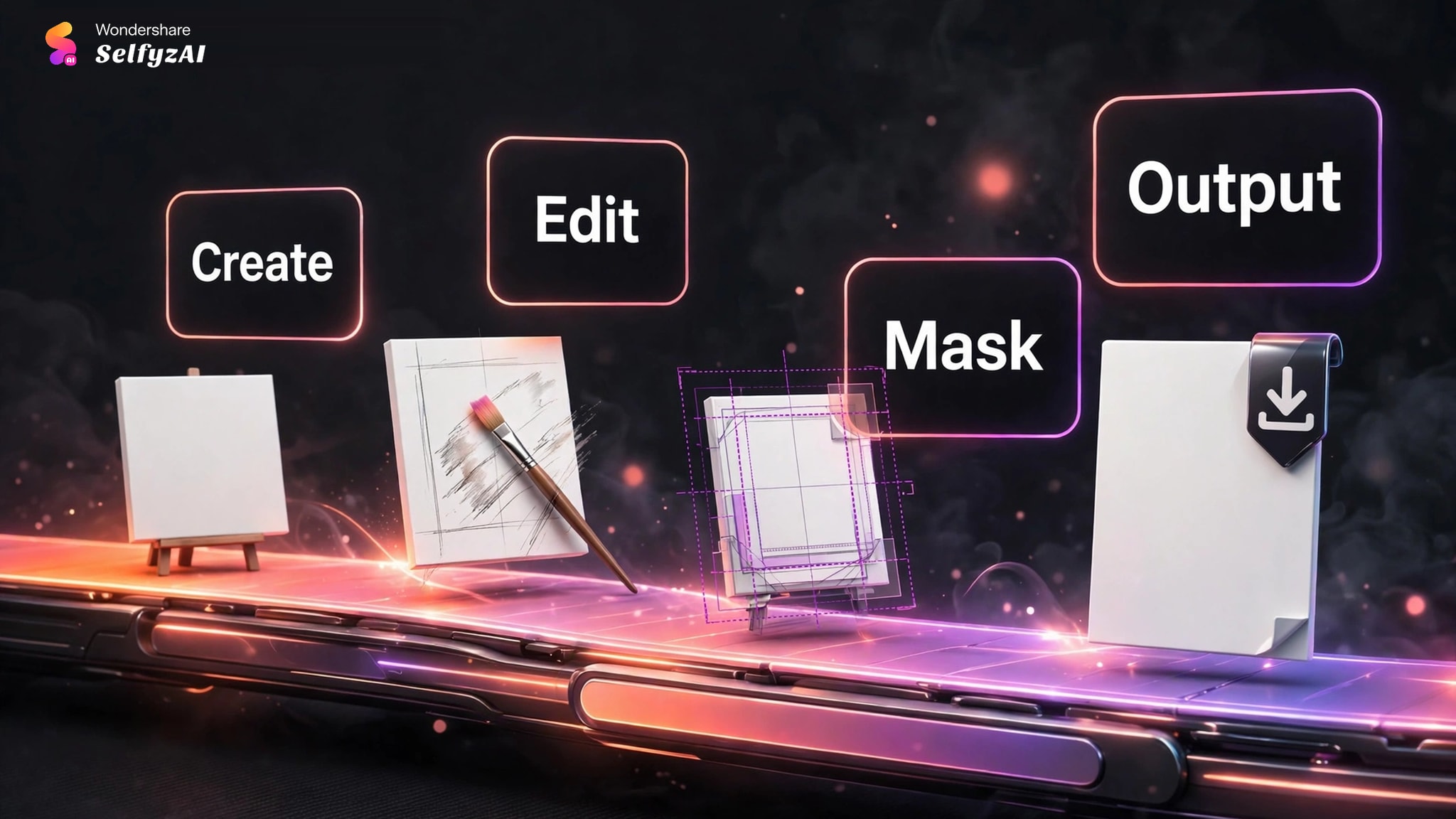
Create-image tools
A create tool starts from text and may expose dimensions, quality, background, result count, or destination. Trust the live schema, not assumed options.
Edit-image tools
An edit tool accepts image inputs plus an instruction, often as a path or encoded payload. The public SureScaleAI documentation also describes optional mask editing; other servers may differ.
Mask inputs
A mask identifies the region to change. Verify its format, dimensions, transparency, and preprocessing before blaming the text instruction.
Output controls
The result should state whether and where the image was saved, plus the model or operation used.
URL, Base64, or File Output?
Output mode is a workflow decision. URLs are compact and easy to pass between remote services. Base64 keeps data inline but makes responses much larger. Local files work well for large assets and editing loops, provided the client and server share access to the path.
| Output mode | Main advantage | Main limitation | Useful when |
|---|---|---|---|
| URL | Small tool response | Link access or expiry may vary | Remote clients and short-lived handoffs |
| Base64 | Self-contained response | Large payloads can exceed client limits | Small assets or immediate inline processing |
| Local file | Handles large outputs efficiently | Requires shared path and permissions | Editing loops and production asset storage |
The public SureScaleAI documentation warns that large inline images can exceed client limits and recommends file output. The broader lesson is to return metadata inline while storing the binary where the next tool can read it.
Set an explicit directory and unique filenames. For containers or remote hosts, a “local” server path may not exist on the user's computer.
Common GPT Image MCP Errors and Fixes
Error messages become easier to interpret when grouped by boundary.
Invalid or unavailable API access
Confirm the key name, process environment, account access, endpoint, and model identifier. Access to another API does not prove image access.
The server cannot read an input image
Use an absolute, readable path. For remote servers, upload the input or provide a supported URL or payload instead of a laptop path.
The server cannot save the result
Create a project-specific output directory and verify write permission.
The client reports an oversized result
Switch from Base64 to file or URL output, returning the path and useful metadata as structured text.
Edit requests fail while creation works
Check that the installed version exposes editing, the model supports it, and the input and mask match documented formats.
Where SelfyzAI Fits Today
The current product fit is visual image creation on web and mobile, followed by optional video or story workflows. The current MCP connection remains focused on AI MV generation.
Our rubric assigns three points to image access, two to GPT Image access, two to web/mobile access, and three to image-MCP automation. The result is 7.0 out of 10 because GPT Image is supported on SelfyZ web and mobile version, while MCP calls are not yet released.
Our verdict
A current GPT Image workspace
Use it for GPT Image on web or mobile and a path into video, story, or MV workflows. Use another server when an agent must call image tools through MCP today.
Pros
- GPT Image access
- Web and mobile
- Video paths
Create a GPT Image asset, download it, then continue into the workflow that fits.
Create GPT ImagesFrequently asked questions
Is GPT Image MCP the same as the OpenAI Images API?
No. The Images API is the provider interface. A GPT Image MCP server is an adapter that presents API operations as tools for an MCP-compatible agent.
Can a GPT Image MCP server generate and edit images?
It can if the installed server exposes both operations and its backend supports them. Check the live tool list and schemas. Some implementations provide only generation, while others add editing, masks, or multiple input forms.
Why do some servers return file paths instead of Base64?
Image binaries can make tool responses too large for a client. Saving the asset and returning a structured path keeps the response smaller and makes later editing easier, provided the next tool can access that location.
Can GPT Image MCP work with Claude Code or Cursor?
Yes, when the chosen implementation documents a compatible MCP transport, runtime, and configuration. Verify the command, environment variables, path handling, and tool discovery in the actual client.
Does SelfyzAI currently provide GPT Image through MCP?
No. GPT Image is available through web and mobile image workflows. The current MCP capability supports AI MV generation, with image coverage planned for a later stage.
Conclusion
A GPT Image MCP server is useful when an agent needs structured create and edit tools inside a broader workflow. Its real quality is visible in authentication, schemas, file access, response handling, and whether the edit step can reuse the generated asset.
Choose an MCP implementation when agent-controlled GPT Image operations are required now. Choose SelfyzAI when the immediate need is GPT Image generation on web or mobile with clear paths into video, story, or MV creation, while accepting the current MV-only MCP scope.