
This guide is written by the SelfyzAI team. As of November 2, 2026, we checked Runway's official pages, guest interface, and a new Free account, then compared our findings with attributed Reddit discussions. In short, Runway offers a capable production workspace, but buyers should evaluate the exact model, access tier, queue, and cost of a usable sequence.
Want a clearer path from source material to video?
SelfyzAI separates text, image, reference, motion, extension, and HD workflows while keeping several named models in one video workspace.
What the Runway AI Video Generator Is
Runway is an official AI video creation workspace that combines text- and image-led generation, video editing, extension, upscaling, timeline work, first-party models, and selected third-party models. It is closer to a workbench than a prompt box.
Inside the Runway AI Video Generator Interface
The Runway AI video generator interface exposes several ways to begin, but the depth can be more useful to experienced creators than to someone seeking one quick render.
Agent, Tool, Apps, and Workflows
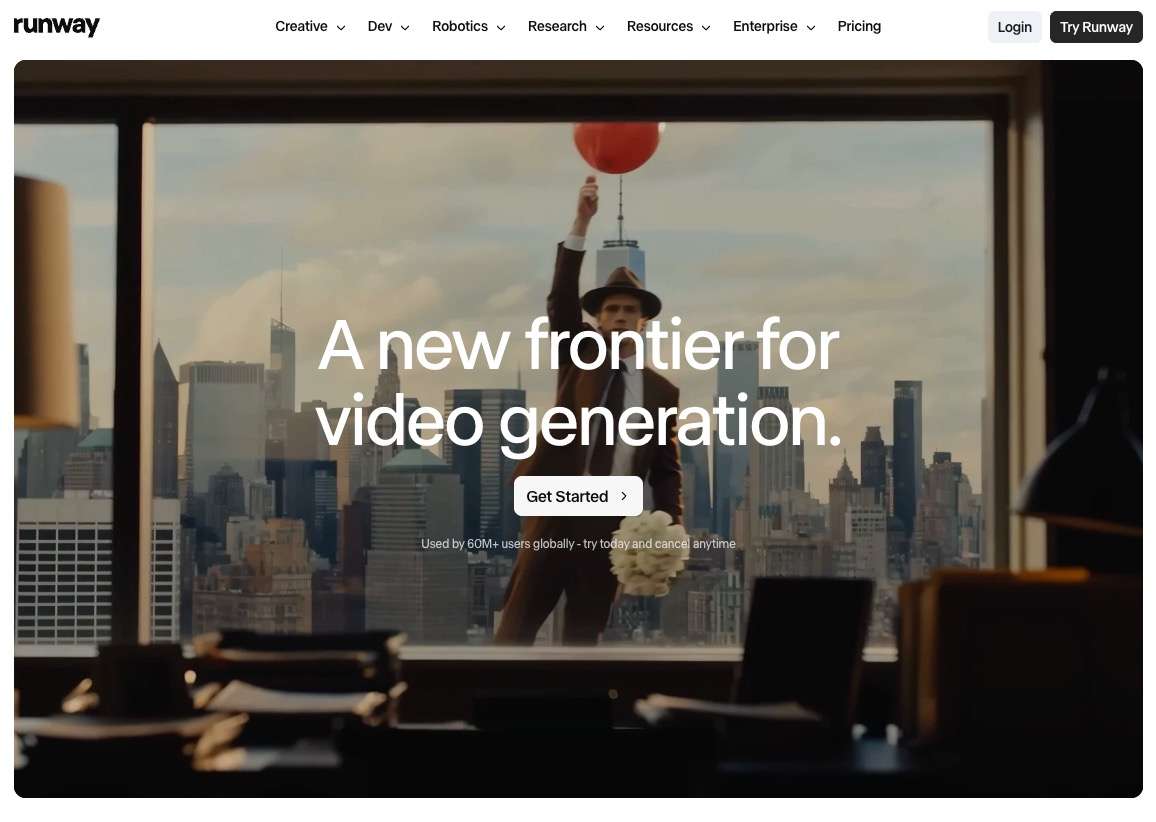
The guest workspace exposed Agent, Tool, Apps, Workflows, Brand Kits, reference and sketch controls, generation approval, and Edit in Timeline. It supports asset creation, review, and revision.
The shortcut showed Seedance 2.5; product pages referenced Gen-4.5 and Aleph 2.0. Users must understand which path bills which model.
What the Free Account Actually Opened
Our authorized Free account showed 500 credits, while the pricing page listed 125 one-time credits. The difference appears promotional or account-specific, so the pricing page is the safer published baseline.
The inspected video choices—including Gen-4.5, Gen-4 Turbo, Seedance 2.5, Aleph 2.0, and Kling 4.0—were Upgrade-only.
Interface Strength and Decision Load
Runway keeps generation and editing close together, but users must choose an entry tool, model, source asset, approval behavior, and downstream workflow.
What Runway Users Report
In order to ensure this review as fair as possible ,we checked recent community discussions are mixed, one thing shall be noticed is that the same workflow themes recur across positive and negative accounts.
A Multi-Tool Workspace Has Real Value
Positive Reddit examples usually began with a prepared still, used image-to-video for motion, and relied on editing tools to correct anomalies or change scene properties. The strongest reports treat Runway as an animation and editing stage supported by references and shot planning.
Explore Mode Trades Credits for Time
In a 51-comment discussion, users described Explore or relaxed generation as high-volume but queue-limited, often with two concurrent jobs. Reported waits varied by model and server load. Some valued the draft volume; others objected to uncertain turnaround and rerolls. Exploration favors volume, while client delivery favors predictability.
Credit Use Depends on the Route
A recent Pro-plan user said about five sub-ten-second MCP videos consumed the monthly credits, but did not document the model or settings. Other users said failed or unusable generations still consumed credits. These anecdotes do not establish policy; they support recording the displayed cost and billing route before batch generation.
Generation, Editing, and Model Choice
Runway's model range is only one part of the product; the workflow around those models is the more durable differentiator.
Text and Image Inputs
The product supports text- and image-led creation. Text suits broad exploration; a prepared still can establish composition and subject identity. Our workspace separates these into text to video and image to video routes.
Community examples often favor image-led work for recurring characters and specific scenes, where source control matters.
Editing and Timeline Work
The guest interface exposed Edit in Timeline, while official materials describe editing, extension, and upscaling. This suits creators who expect several review passes in one environment.
Model Choice Is Not the Same as Access
A listed model may still be unavailable on the current plan. Ask whether it is included and whether it uses credits or an Explore-style queue.
Runway Pricing and Credit Cost
Runway's public pricing combines plan credits with model-specific costs and, on eligible tiers, slower high-volume modes.
Official Plans Verified in November 2026
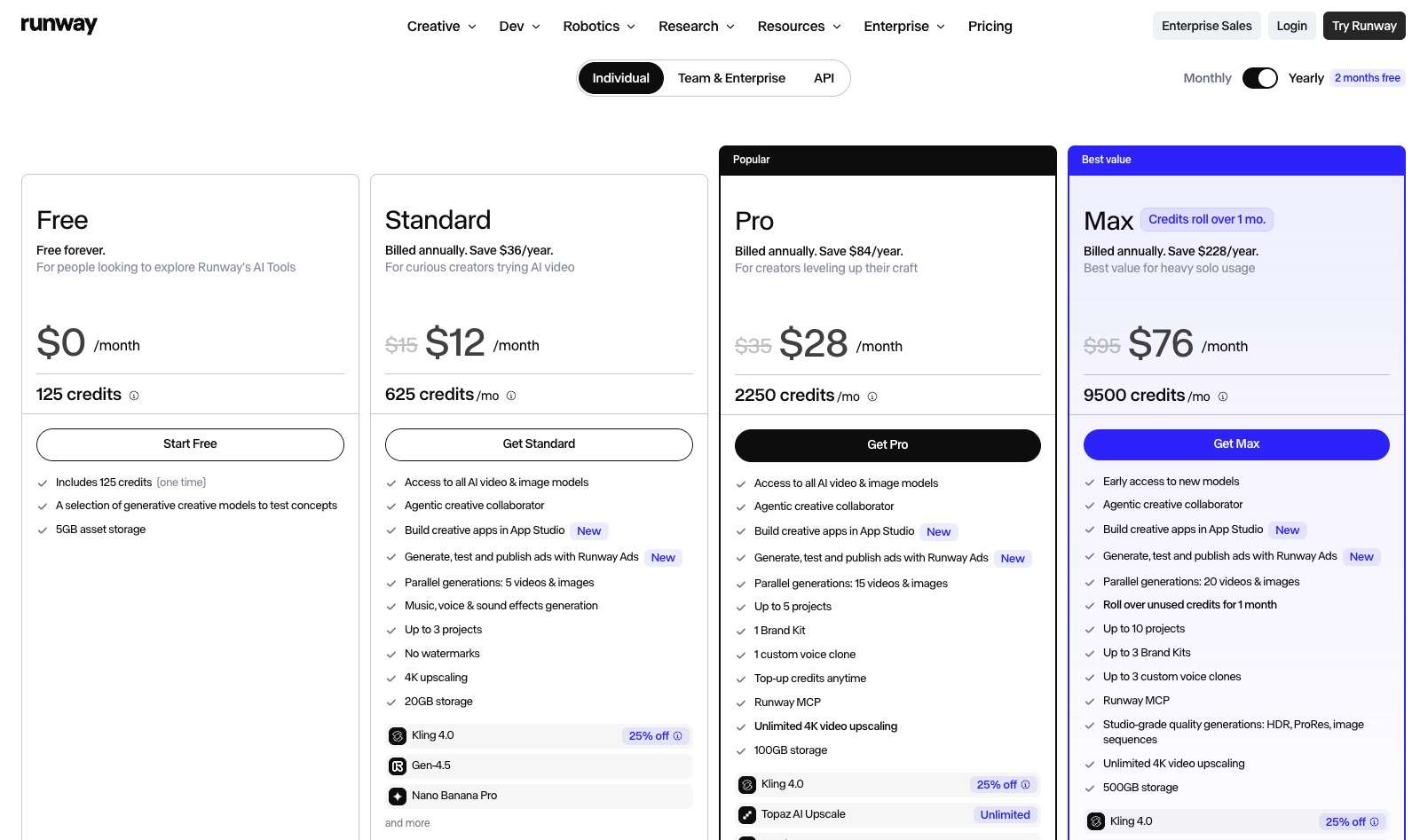
The official pricing page listed Free with 125 one-time credits. Annual-billing prices were shown as Standard at $12 per month with 625 monthly credits, Pro at $28 with 2,250 credits, and Max at $76 with 9,500 credits. Promotions and monthly billing can differ, so check the live checkout before purchasing.
Five-Second Model Costs
The same Runway page displayed Gen-4.5 at 60 credits per five seconds and Aleph 2.0 at 140 credits per five seconds. Those figures make a key point: monthly credits do not map to one fixed number of clips because models and tasks consume different amounts.
Budget per usable sequence should include rejected drafts, extensions, upscales, edits, and priority generation.
Real Limitations
Runway's limitations are mostly workflow and access constraints rather than the absence of features.
Free Credits Are One-Time
The public pricing baseline is 125 one-time credits, not a recurring monthly allowance. Our new account received a larger 500-credit balance, but that account-level promotion should not be assumed for every user.
Visible Models Can Be Upgrade-Only
Every inspected video model in the new Free account required an upgrade. The interface can therefore communicate breadth before the plan grants usable video access.
Longer Sequences Need Chaining
Runway's official FAQ describes single generations as short clips. Longer scenes require Extend and chained generations inside Workflows. Our platform also treats continuation as a dedicated extend video task rather than implying that one request produces an unrestricted sequence.
Credits and Queue Time Are Separate Costs
Explore-style use may reduce credit pressure but introduces variable wait time. Client work must price both credits and review delay.
Watermark and Provenance Rules Vary
The official FAQ says Free-plan images carry a small Runway watermark and outputs from Runway's own models carry C2PA credentials on every plan. Verify the chosen model's export behavior.
How to Use Runway AI Video Generator
Treat Runway as an iterative shot workflow with controlled spending.
-
Write down the subject, action, camera movement, duration, aspect ratio, and whether the shot begins from text, an image, or existing video.
Done whenThe request describes one shot and one delivery target.
-
Select Agent, Tool, Apps, or a Workflow, then confirm the model and whether it is available on the current plan.
Done whenThe route, model, and access requirement are visible.
-
Use a clean source image or reference when composition and subject identity matter. Resolve obvious visual defects before animation.
Done whenThe source asset is suitable for motion without major repair.
-
Review the displayed cost, generation mode, queue behavior, and number of concurrent jobs before submitting several variants.
Done whenThe first attempt fits the credit and deadline budget.
-
Check motion, subject stability, prompt adherence, unwanted elements, and the last frame. Change one variable at a time for the next attempt.
Done whenYou can explain why the next version should improve.
-
Use timeline edits, extension, or upscaling only after selecting a viable clip. Avoid spending enhancement credits on a draft that will be discarded.
Done whenThe approved shot is ready for final enhancement or assembly.
Creators who already have a clean winning clip can use a separate video HD workflow instead of mixing generation and enhancement decisions.
Runway vs SelfyzAI: Workflow Fit
Runway emphasizes a deep creation-and-editing workspace. The comparison platform emphasizes separate source-based tasks and named-model choice.
| Decision | Runway | SelfyzAI |
|---|---|---|
| Main interface | Agent, tools, apps, workflows, timeline | Text, image, reference, and control workflows |
| Model access | First-party and third-party models; plan gates apply | Multiple named models; availability varies by workflow |
| Editing approach | Integrated editing and timeline tools | Dedicated extension, motion, and HD tools |
| Free video access observed | Models visible but Upgrade-only | Access and credits vary by active plan |
| Cost structure | Plan credits plus model costs or queues | Plans plus model-dependent credits |
Who Runway Fits
Runway fits creators who want generation, editing, timeline work, and model experimentation in one detailed environment. It is especially suitable for teams comfortable with shot planning, prepared source assets, queue management, and several review passes.
Who Should Choose SelfyzAI
Our platform is a more practical fit when the creator wants the starting material to determine the workflow and prefers dedicated controls such as motion control. It also reduces the need to decide between an agent, app, tool, and workflow before beginning a straightforward generation task.
Our editorial score weights workflow coverage at 25%, control at 25%, output handling at 25%, and value transparency at 25%. It assesses our documented workflow, not a universal output-quality ranking.
Our verdict
Choose the source-led route when workflow clarity matters more than Runway's editing depth.
This route fits creators who want named models and distinct text, image, reference, motion, extension, and enhancement paths in one workspace.
Pros
- Clear input paths
- Named models
- Dedicated controls
Start from text, an image, or references, then select the model and control path that fits the shot.
Explore AI video workflowsRunway remains the stronger fit for creators who depend on its integrated timeline and apps. Our platform also has model-dependent credits and output limits.
Frequently asked questions
Is Runway AI video generator free?
Runway has a Free plan, and the official pricing page listed 125 one-time credits on November 2, 2026. However, the video models we inspected in a new Free account were marked Upgrade-only.
How much does Runway cost in 2026?
With annual billing, the verified pricing page showed Standard at $12 per month, Pro at $28, and Max at $76. Credit allowances and monthly-billing prices differ, so confirm the live checkout.
Is Runway AI legitimate?
Runway is an established AI creation platform with documented products, pricing, and support. Buyers should still test access, credit use, queues, and exports against their budget.
Can Runway generate video-to-video?
Runway's product materials include video editing and transformation workflows alongside text- and image-led generation. The exact tool and model available depend on the active plan and interface.
How long can Runway videos be?
Runway describes single generations as short clips. Longer sequences require extension and chained shots in Workflows, so the final duration depends on how many usable segments are generated and assembled.
Conclusion
Runway is a deep AI video workspace whose strongest feature is the connection between generation, editing, workflows, and timeline work. It suits creators who treat AI video as an iterative production process rather than a one-prompt result.
It is less suitable for buyers who expect the Free plan to unlock every visible model, want one predictable credit rate, or need fixed Explore-mode turnaround. For creators who prefer explicit text, image, reference, motion, extension, and enhancement routes, our platform offers a clearer source-led alternative while retaining model-dependent credits and limits.