
This analysis is written by the SelfyzAI team and was verified on November 11, 2026. Pictory is a script- and content-repurposing platform that converts text into scenes, captions, narration, and matched visuals; our conclusions combine current Pictory documentation with anecdotal Reddit discussions.
Need generated scenes instead of stock-first matching?
Use SelfyzAI to create video from text, images, or visual references when the scene itself needs tighter direction.
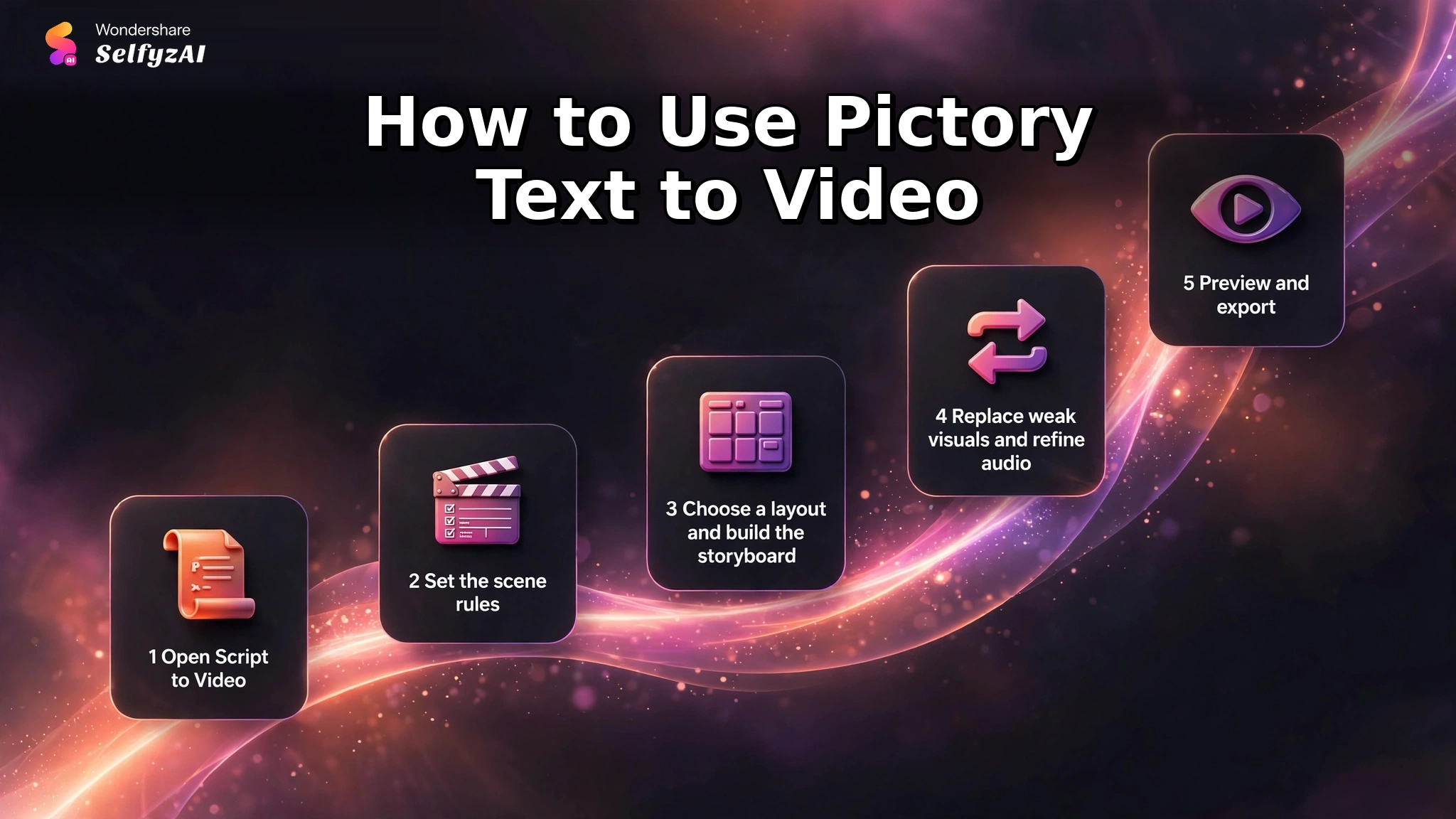
How to Use Pictory Text to Video
Pictory's official Academy guide describes a workflow that begins with a script and ends in an editable storyboard. The automation handles scene segmentation and initial media matching, while the user remains responsible for checking meaning, replacing weak visuals, and approving the final sequence.
-
Choose Text to Video, then Script to Video. Paste a finished script, import a document, or write directly in the input field.
Done whenThe editor contains the complete narration in a clear scene-ready form.
-
Choose the aspect ratio, scene segmentation method, keyword highlighting, automatic visual selection, and saved brand settings.
Done whenThe scene breaks and format match the target platform.
-
Select a layout or theme, then let Pictory segment the script, match visuals, add captions, and prepare voiceover options.
Done whenA complete storyboard opens in the AI Video Editor.
-
Use stock media, generated assets, or uploads to replace mismatched scenes. Review narration, music, captions, pacing, and brand elements.
Done whenEvery scene supports the exact idea expressed in the script.
-
Preview the full sequence, check aspect ratio and timing, then download or share the approved version.
Done whenThe finished video has no irrelevant footage or caption errors.
Pictory Features and Where Users See Value
Pictory converts writing into scenes, suggested media, captions, voiceover, and music options. That supports blog repurposing, explainers, training, and social summaries.
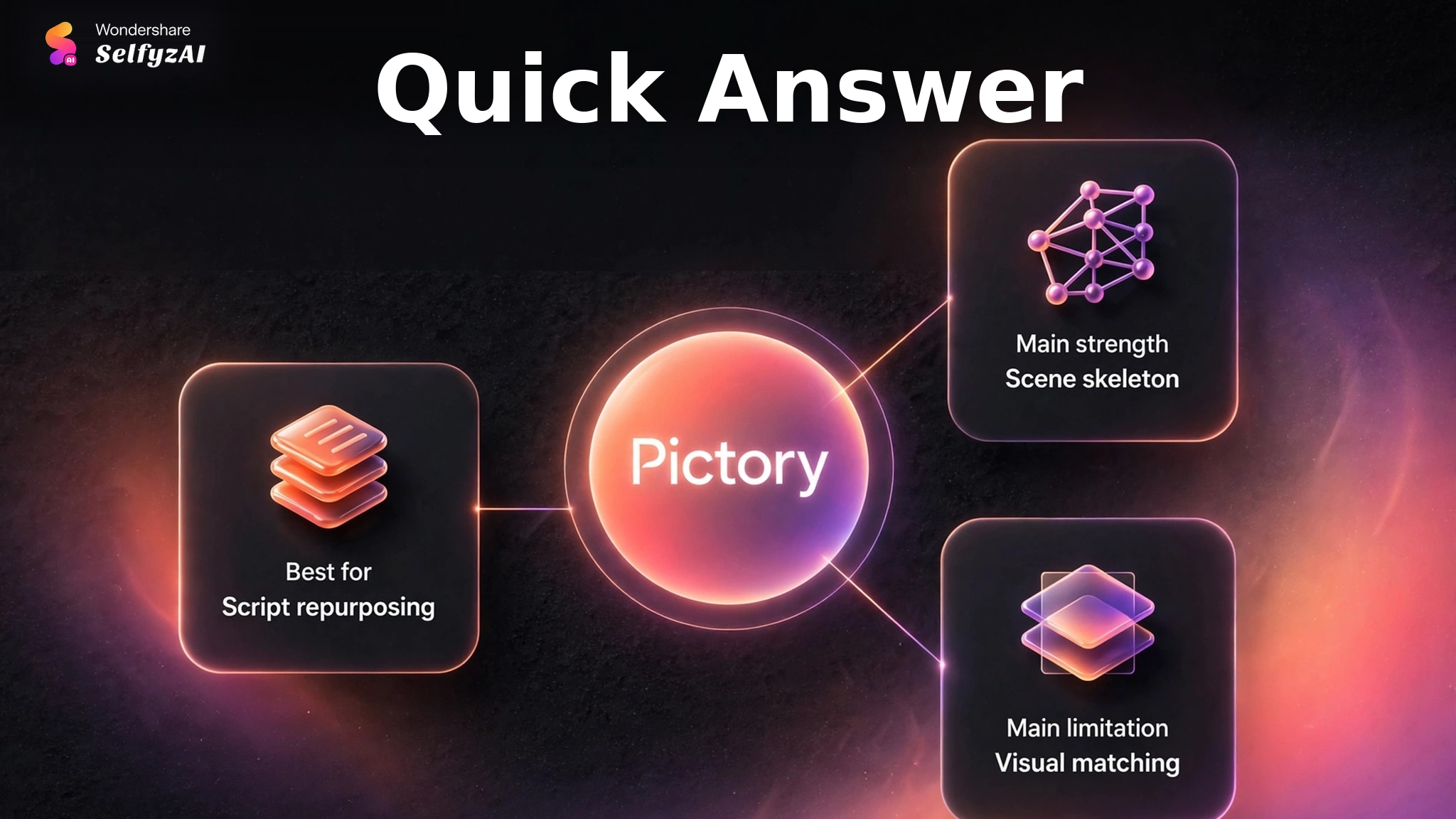
A Ready-to-Edit Scene Skeleton
The official workflow can split scenes by sentence or line break, highlight keywords, choose a layout, and build an initial storyboard. Users can then edit scene text, pacing, visuals, audio, overlays, and branding in separate controls.
Positive Reddit feedback often describes this first-pass structure as Pictory's useful contribution. Users mention that rearranging scenes is straightforward and that the generated storyboard gives them a place to begin. The value is organizational: it removes blank-page work even when the media still needs attention.
Stock, Generated, and Uploaded Visuals
Pictory's editor can replace a scene with library media, an AI-generated asset, or the user's own upload. This flexibility matters because no automatic matcher will understand every niche term, product detail, or abstract sentence equally well.
An editor can prepare a controlled source image first, then use image to video when motion should stay anchored to that composition. Pictory remains convenient when broad stock footage is acceptable and speed matters more than a unique visual identity.
Narration, Captions, and Brand Controls
Pictory can add AI voiceover, music, uploaded narration, captions, text overlays, elements, and a Brand Kit. Several community comments specifically praise access to ElevenLabs narration. Voice quality is still only one part of the result; pronunciation, emphasis, caption timing, and scene relevance require review.
For longer narrative projects, the difference between a storyboard builder and a guided story workflow becomes important. A MyStory Agent route can be compared when the user needs story planning and generated scenes rather than script-to-stock conversion.
Pictory Pricing and Promotional-Price Caveats
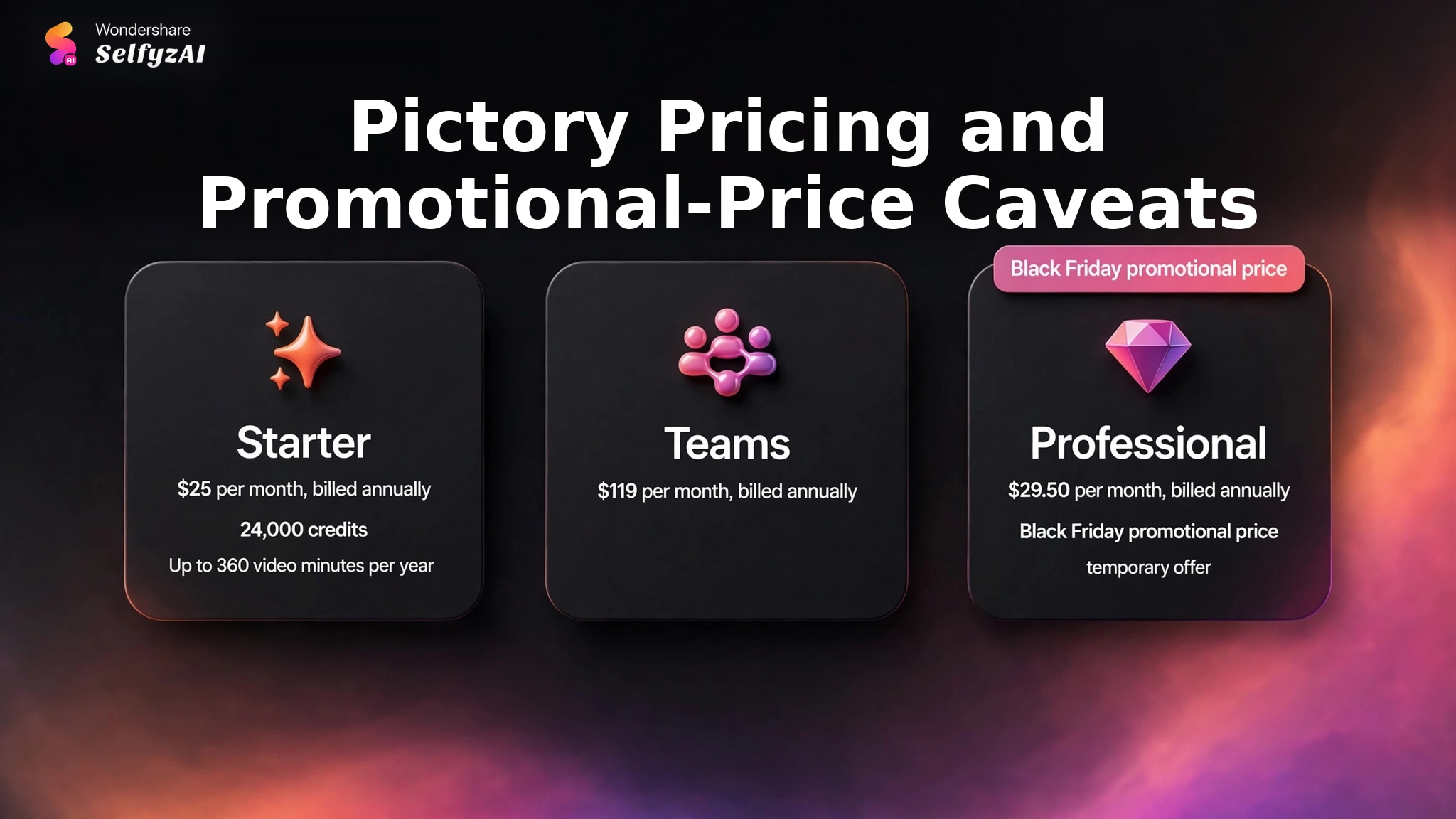
Pictory's current pricing page lists Starter at $25 per month when billed annually, with 24,000 credits and up to 360 video minutes per year. Teams is listed at $119 per month when billed annually.
Professional displayed a Black Friday promotional price of $29.50 per month when billed annually at verification. Because that is a temporary offer rather than a stable list price, it should not be used as a long-term cost assumption. Check the live page immediately before purchase and compare the renewal price, not only the promotion.
Credits and annual minute allowances should be evaluated against the actual content plan. A weekly short explainer and a long course library place very different demands on the same subscription. Replacement scenes, generated media, premium voices, and collaboration requirements may also affect which tier is practical.
Real Limitations
Pictory's limitations are not mainly about whether it can create a storyboard. They concern whether the automatically chosen media is specific enough to reduce editing rather than move the work into a replacement queue.
Niche-Topic Visual Matching Can Miss the Point
Independent Reddit comments report that Pictory can select broad or irrelevant B-roll for specialist subjects. A technical term, unusual product, or abstract claim may be matched to footage that shares a keyword but not the intended meaning.
This is a known risk of script-to-library matching. Review each scene against the sentence it illustrates. If the footage could accompany many unrelated videos, it is probably too generic for a distinctive explanation.
A Stock-First Look Can Feel Generic
Stock libraries are efficient for common concepts such as offices, travel, fitness, or generic technology. They are less effective when the brand needs a specific character, product behavior, location, or visual world. Repeated stock conventions can also make different channels look similar.
Pictory partly addresses this with generated visuals and uploads, but replacing many scenes changes the time equation. Users whose content depends on original imagery may prefer a generation-first AI video generator and use Pictory only for captions or structure.
The Storyboard Is Usually a First Pass
Community feedback repeatedly frames the output as a usable skeleton rather than a finished edit. Scene order may be helpful while individual visuals still need replacement. This is not a failure of the tool's main purpose, but it is a poor fit for buyers expecting one-click publication.
Preview the complete sequence before export, including narration, caption timing, and transitions. If the final deliverable needs a higher-resolution finishing pass, a separate video HD workflow is another step to budget rather than an assumed part of every plan.
Promotional Pricing Can Distort the Comparison
The visible Professional offer was tied to Black Friday. A temporary discount can make a plan appear unusually close to Starter even though the renewal price may differ. Use the stable plan entitlements and the live renewal terms as the buying basis.
When comparing platforms, include current pricing, expected scene replacements, and any separate finishing step. The relevant number is cost per accepted video, not the lowest promotional monthly figure.
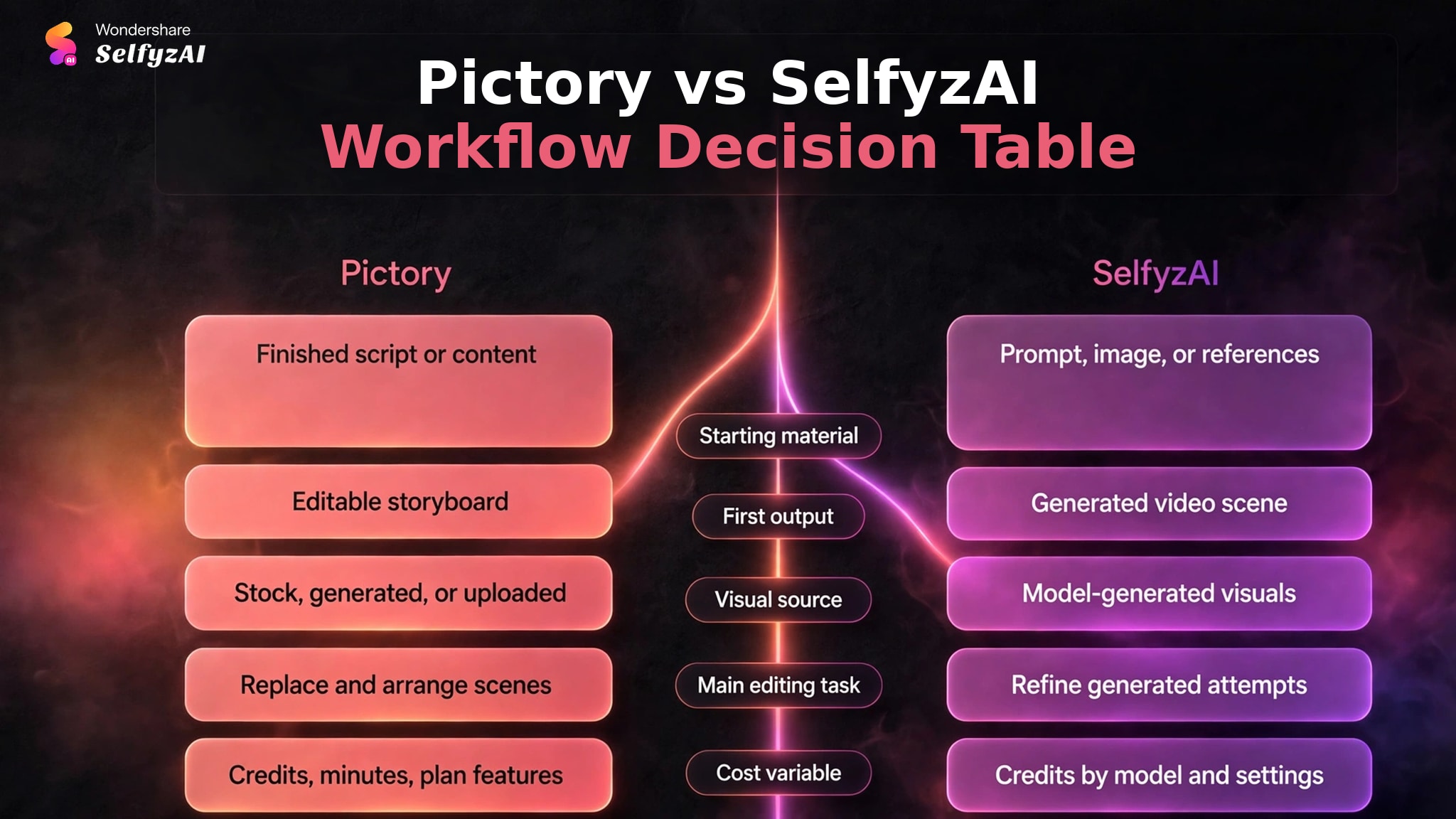
Pictory vs SelfyzAI: Workflow Decision Table
Pictory and SelfyzAI begin from different production assumptions. Pictory builds a video around a script and matched assets. SelfyzAI centers on generating video scenes from text, images, or references. Neither approach removes the need for editorial review.
| Decision area | Pictory | SelfyzAI | Better fit when |
|---|---|---|---|
| Starting material | Finished script or content | Prompt, image, or references | The source asset is already prepared |
| First output | Editable storyboard | Generated video scene | Structure or imagery is the main need |
| Visual source | Stock, generated, or uploaded | Model-generated visuals | Originality requirements are clear |
| Main editing task | Replace and arrange scenes | Refine generated attempts | The expected revision type is known |
| Cost variable | Credits, minutes, plan features | Credits by model and settings | A representative project is budgeted |
We score SelfyzAI for original visual generation with this documented rubric: workflow fit 40% (8.5), input flexibility 25% (9.0), model choice 20% (9.0), and cost transparency 15% (7.5). The weighted result is 8.6/10; it does not measure stock-library breadth or output superiority.
Our verdict
Choose SelfyzAI when the project needs original generated scenes rather than stock-first matching.
SelfyzAI is a better workflow fit for text-, image-, or reference-driven scene generation. It does not replace Pictory's script-to-stock assembly, captions, and narration workflow.
Pros
- Original scene generation
- Multiple named models
- Text, image, and reference inputs
Create the visual scenes directly when automatic stock matching is too generic for the script.
Explore AI videoWho Pictory Fits, and Who Needs More Visual Control
Pictory fits marketers, educators, trainers, and faceless-channel creators who already have a script and need a fast scene structure, narration, captions, and broadly relevant media. It is especially useful when stock footage is acceptable and the editor wants to rearrange rather than build from nothing.
It is a weaker fit for niche technical subjects, distinctive brand worlds, precise product demonstrations, or recurring characters that must remain visually controlled. Those projects may spend more time replacing media than the initial automation saves.
If most scenes need original visuals, start with generation. If familiar illustrative media is acceptable, Pictory can provide an efficient first cut.
Frequently asked questions
How does Pictory AI text to video work?
Pictory divides a script into scenes, suggests visuals, adds captions, prepares narration options, and opens an editable storyboard. The user then replaces media, adjusts pacing and audio, previews the sequence, and exports the approved version.
Is Pictory a text-to-video generator or a stock-video editor?
It combines both ideas, but its distinctive workflow is script-to-storyboard assembly. It can use library media, generated visuals, or uploads rather than relying on only one source.
Does Pictory choose visuals automatically?
Yes. Automatic visual selection is available, and the generated storyboard matches media to scenes. Editors can replace any weak match with library footage, generated assets, or their own uploads.
Can you replace Pictory's AI-selected footage?
Yes. The official editor provides Library, AI Studio, and Uploads options for scene replacement. This is an important step for niche topics or brand-specific content.
What do Reddit users report about Pictory for niche topics?
The reviewed discussions include reports that Pictory creates a useful scene skeleton but often matches weak or generic B-roll to specialist subjects. Other users praise the rearrangement workflow and narration options. These comments are anecdotal, and the brand-associated subreddit is not an independent sample.
Conclusion
Pictory is a practical script-repurposing tool when the creator needs structure, captions, narration, and an editable storyboard more than original visual generation. Its automation can remove the blank-page stage and speed up familiar content formats.
The trade-off is visual specificity. Niche subjects, controlled characters, and distinctive products can require substantial replacement work, while temporary pricing complicates cost comparisons. Use a representative script, count how many scenes need replacement, and judge the tool by the finished editing time rather than the speed of the first storyboard.