

This analysis is written by the SelfyzAI team and was verified on November 11, 2026. OpusClip imports long videos, identifies candidate moments, reframes them, adds captions, and prepares social clips; despite searches for an “Opus AI video generator,” it is not mainly designed to create new footage from a text prompt. Our conclusions combine current OpusClip documentation with anecdotal Reddit discussions.
Need to generate new footage, not extract clips?
Use SelfyzAI to create video from text, images, or references when no long-form source video exists.
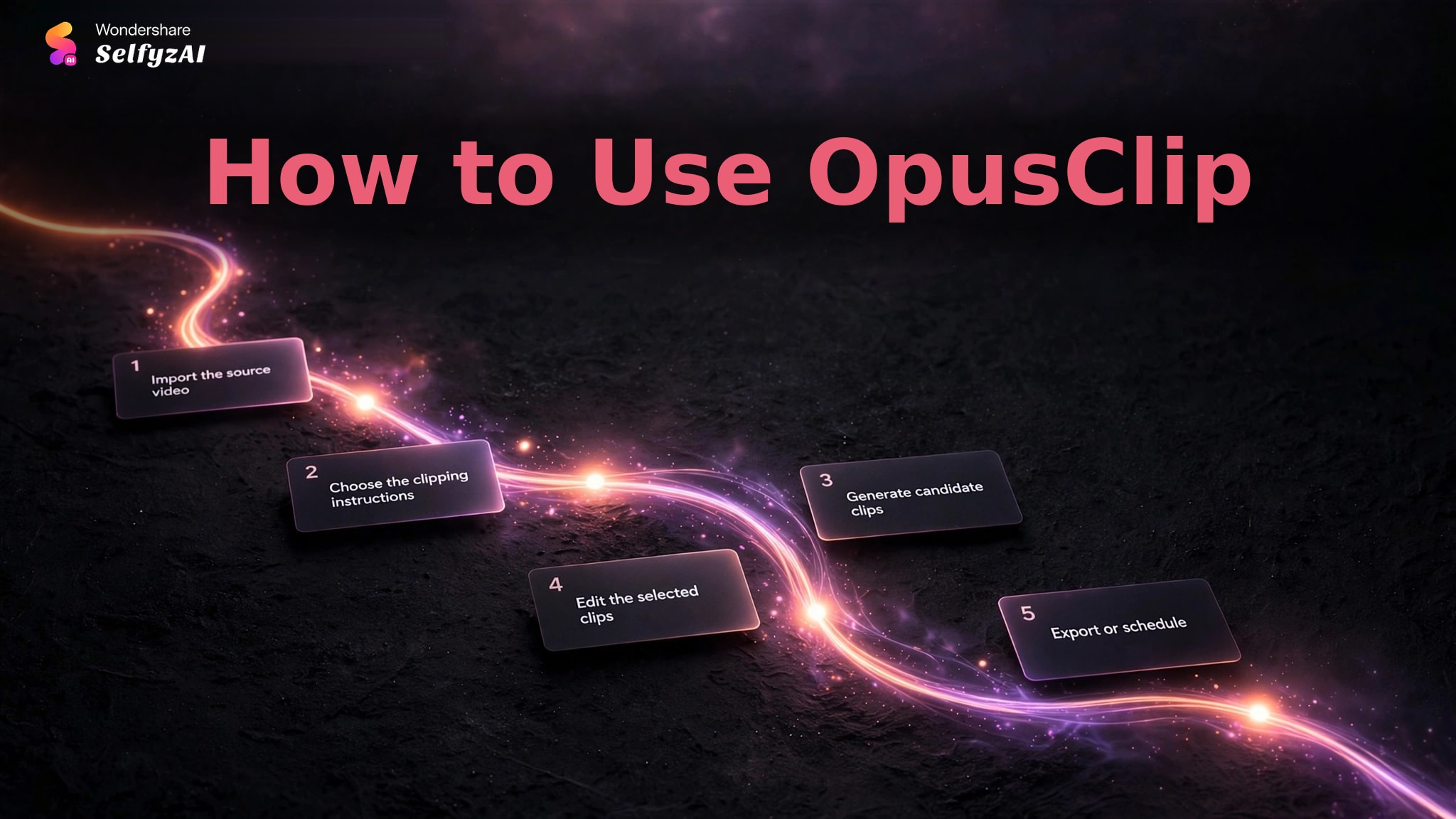
How to Use OpusClip
OpusClip's official documentation starts with a long source video. The platform can accept supported online sources or local files, apply a clipping model and prompt, generate candidates, then let eligible users refine and publish the selected clips.
-
Paste a supported public video link or upload a local file. Use a recording with clear audio, enough context, and moments that can stand alone.
Done whenThe full source video is available as a new clipping project.
-
Select the available clipping model, video genre, target length, aspect ratio, brand template, and a prompt for the moments you want to find.
Done whenThe request defines both the subject and the intended short-form format.
-
Submit the project and review the returned clips, captions, framing, and ranking signals. Treat the Virality Score as a sorting aid rather than a publishing decision.
Done whenA shortlist contains clips that make sense without the full episode.
-
Where the plan allows editing, correct captions, adjust framing, trim or extend the boundaries, remove filler, and add approved branding or overlays.
Done whenEach clip preserves the original meaning and has a complete beginning and end.
-
Confirm watermark, export retention, resolution, social-account connection, and posting copy before downloading or scheduling.
Done whenThe selected clip is saved or scheduled under the correct account and format.
OpusClip Features and Where Users See Value
OpusClip is built around discovering usable short moments in existing footage. Its official documentation describes ClipAnything, prompt-based moment selection, automatic reframing, captions, a text- and timeline-based editor, scheduling, and XML export for further work in professional editors.
Multimodal Clip Discovery
ClipAnything uses visual, audio, and sentiment cues, including footage with limited dialogue. Users can also provide natural-language prompts to find scenes, actions, characters, events, emotions, or topics. This is more flexible than relying only on transcript keywords.
Positive Reddit comments commonly describe OpusClip as a useful starting point. Podcasters and long-form creators value receiving candidate moments without scrubbing the entire recording manually. That does not mean every selected moment is correct; it means the search space becomes smaller.
When no source recording exists, the task is different. A text to video workflow creates a new scene, while OpusClip extracts and reframes a moment that already happened.
Captions, Reframing, and Editing
The editor can change captions, layout, aspect ratio, framing, timing, text overlays, transitions, filler words, B-roll, and voiceover where the plan supports those tools. Automatic subject tracking and reframing are particularly relevant to podcasts, interviews, webinars, and talking-head videos being converted to vertical formats.
Community praise often mentions captions and quick formatting. Users also like having a scheduler connected to the clipping workflow. These features reduce repetitive production work after the moment has been selected.
If a clip needs new supporting imagery rather than a crop, a separate image to video route may be more appropriate. If the issue is an abrupt ending, extend video is a different generation task rather than a replacement for better source boundaries.
Recipes, Brand Templates, and Publishing
OpusClip can save editing settings as Recipes and reuse brand choices across projects. Social accounts can be connected for scheduling, and XML export lets an editor continue in Adobe Premiere Pro or DaVinci Resolve.
A stable template reduces repeated caption, layout, and branding work for a recurring show.
OpusClip Pricing and Current Free-Plan Limits
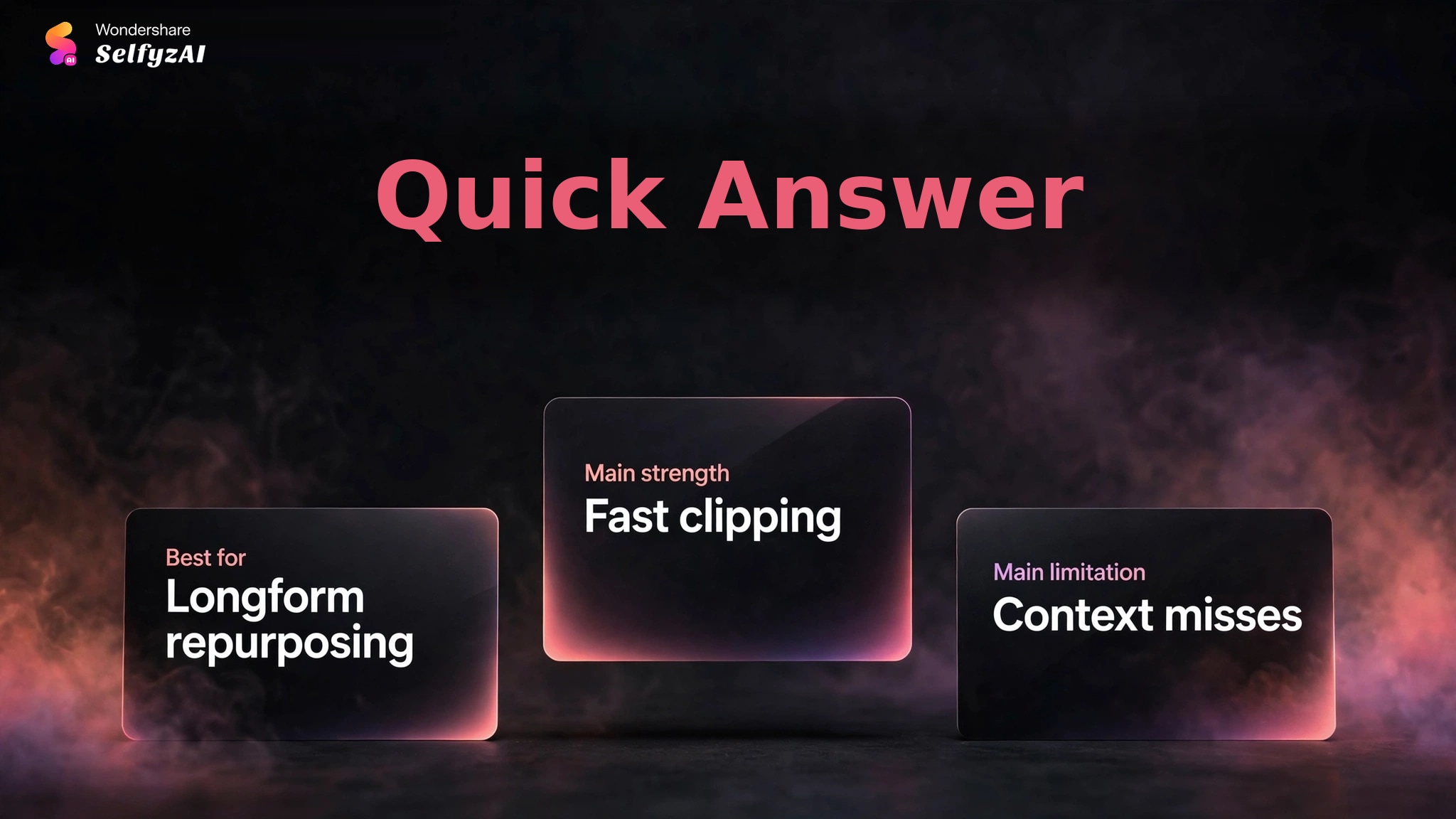
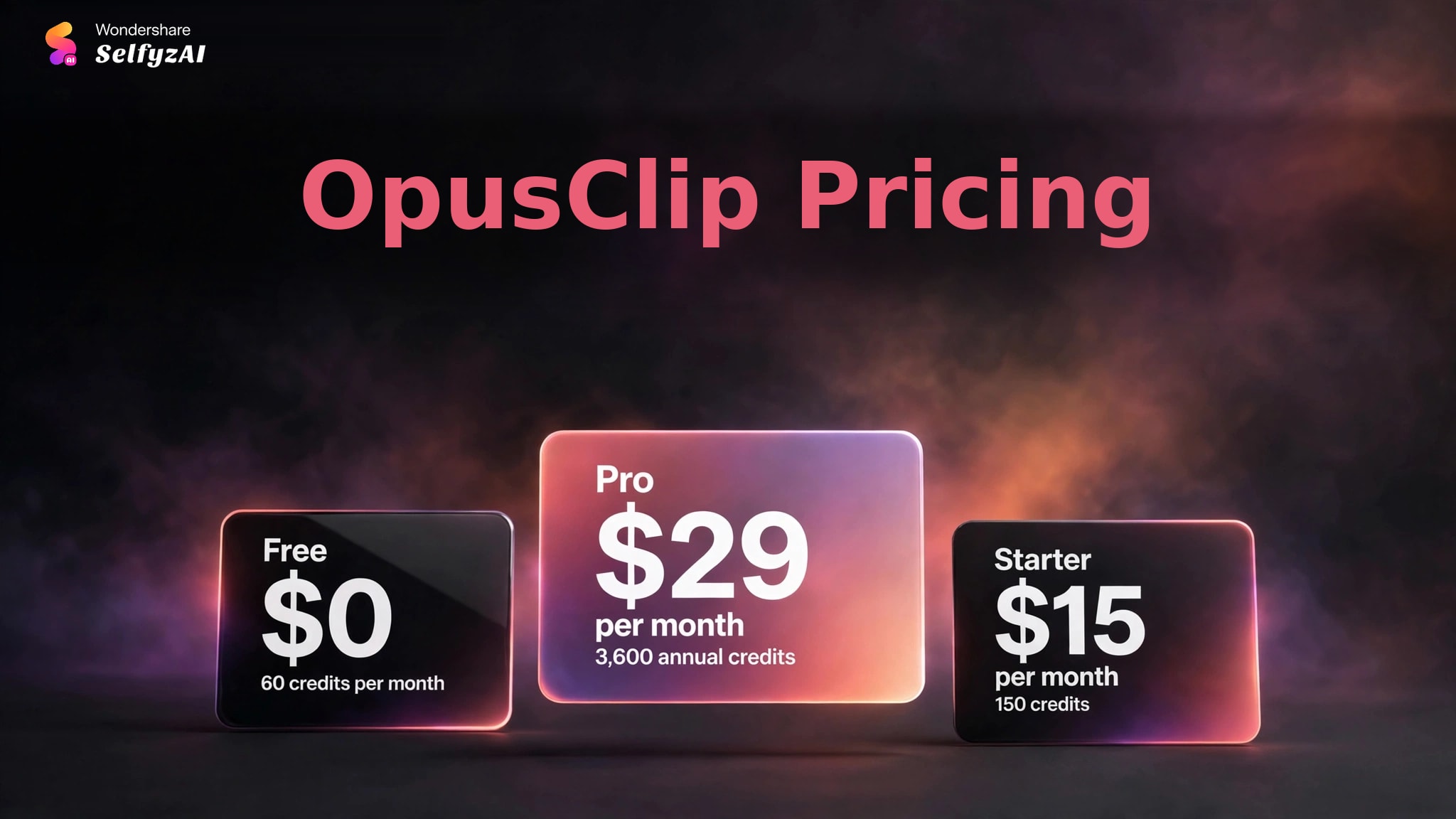
OpusClip's current pricing page lists a Free plan with 60 credits per month. Free clips carry a watermark, editing is unavailable, and exports expire after three days. Those conditions make the plan suitable for assessing selection quality, but limited for a repeatable publishing workflow.
Starter is listed at $15 per month with 150 credits. Pro is listed at $29 on monthly billing, or an effective $14.50 per month on annual billing with 3,600 annual credits. The useful comparison is not only the credit allowance; editing, storage or retention, scheduling, collaboration, and export requirements also determine whether a plan can support the intended volume.
Before paying, run one representative video and count how many clips work before editing. A high clip count has little value when moments require rebuilding or full-episode context.
Real Limitations
OpusClip's limitations follow from the difference between identifying an interesting segment and understanding why an audience will care about it.
Highlight Selection Can Miss Context or Timing
Reddit users report that selected moments can miss the setup, emotional turn, punchline, or final explanation that makes a clip work. This is especially relevant to comedy, narrative podcasts, debates, and technical answers where meaning depends on surrounding context.
Prompt-based selection can improve targeting, but the editor should still watch the source immediately before and after the suggested boundaries. A clip that begins with an unexplained pronoun or ends before the conclusion is not ready to publish.
Manual Curation Remains Necessary
Several users describe OpusClip as a useful first pass rather than an autonomous editor. Candidate clips may feel generic, repeat familiar hooks, or prioritize an energetic sentence over the most valuable idea. Virality Score can help sort a queue, but it cannot know the channel's strategy or the creator's standards.
The fastest workflow is to reject weak candidates early, then edit only the strongest few. Trying to repair every suggestion can remove the time advantage that justified automation.
Free Access Has Practical Publishing Limits
The current Free plan adds a watermark, does not include editing, and removes exports after three days. A user can evaluate clip selection and caption style, but should not assume the free plan covers a professional recurring workflow.
Compare current plan restrictions with SelfyzAI pricing only after separating clipping from generation. The products charge for different tasks, so a lower monthly figure does not establish lower cost for the same deliverable.
Older Billing and Support Complaints Need a Date Label
Older Reddit threads include complaints about interface behavior, editing limits, billing, and support. These reports should not be presented as proof of the current 2026 experience because the product and plans have changed. They remain useful as questions to verify: cancellation flow, credit renewal, project retention, support access, and export availability.
Creators who plan a finishing step should also confirm whether the selected plan provides the needed output quality. A separate video HD process may improve a compatible clip, but it cannot restore context missing from the edit.
What Changed Since 2025
Searches for “opus clip free ai video generator 2025” contain two outdated assumptions: OpusClip is a clipping tool rather than a new-scene generator, and current free terms should replace old screenshots. On November 11, 2026, Free listed 60 monthly credits, a watermark, no editing, and three-day export retention.
OpusClip vs SelfyzAI: Clipping vs Generation Table
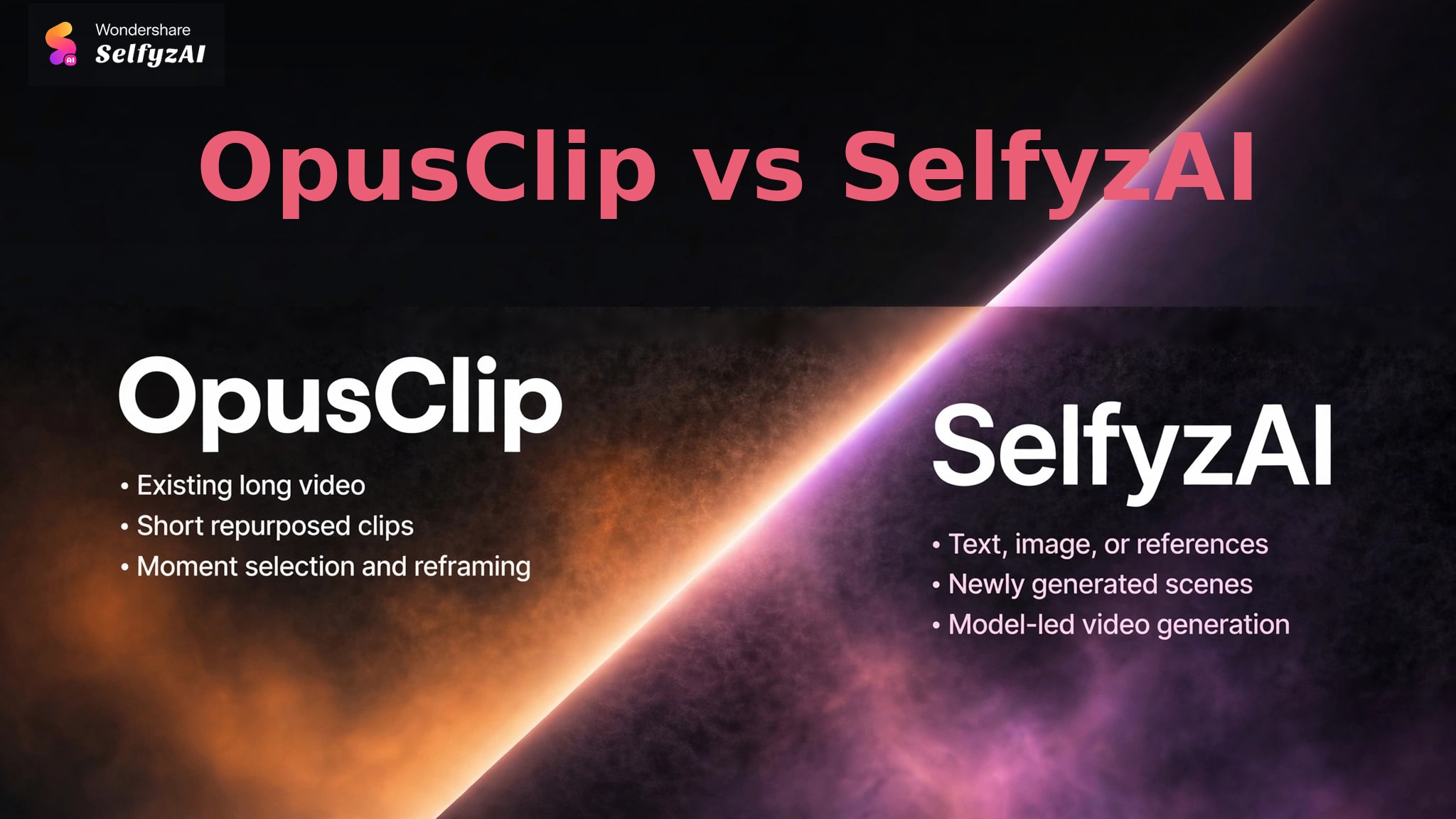
OpusClip and SelfyzAI's AI video generator solve different starting problems. One extracts moments from a source video; the other creates video from new inputs. They can be complementary in a broader content workflow.
| Decision area | OpusClip | SelfyzAI | Better fit when |
|---|---|---|---|
| Required input | Existing long video | Text, image, or references | The source material determines the job |
| Main output | Short repurposed clips | Newly generated scenes | Extraction or creation is the priority |
| Core automation | Moment selection and reframing | Model-led video generation | The slowest production step is known |
| Human review | Context, captions, boundaries | Prompt adherence and visual quality | Editorial checks are planned |
| Cost variable | Credits and plan editing limits | Credits by model and settings | The same deliverable is compared |
We score SelfyzAI for new-footage generation with this documented rubric: workflow fit 40% (8.6), input flexibility 25% (9.0), model choice 20% (9.0), and cost transparency 15% (7.5). The weighted result is 8.6/10; it does not score long-video clipping, where OpusClip serves a different job.
Our verdict
Choose SelfyzAI when the footage must be created rather than extracted.
SelfyzAI generates new video from text, images, or references and offers named model choices. It is not a replacement for OpusClip's long-video moment selection, captions, and scheduling.
Pros
- New scene generation
- Multiple input workflows
- Named model selection
Start with a prompt or visual source when there is no long-form recording to clip.
Explore AI videoWho OpusClip Fits, and Who Needs a Generator
OpusClip fits podcasters, interview channels, webinar teams, educators, and long-form creators who already publish substantial source footage. It is most useful when the recording contains several self-contained ideas and the team needs a faster way to locate them.
It is weaker when no source video exists, new scenes are required, or humor and narrative depend heavily on context.
Choose a clipping tool when the content already exists and discovery is slow. Choose a generator when the visual footage still needs to be created.
Frequently asked questions
Is OpusClip a free AI video generator?
OpusClip has a Free plan, but it is primarily an AI clipping tool. It turns long videos into short clips rather than generating a complete new video from a text prompt. The current free plan includes a watermark, no editing, and three-day export retention.
What does the OpusClip free plan include in 2026?
The verified pricing page lists 60 credits per month. Free clips are watermarked, editing is unavailable, and exports expire after three days. Check the live page before use because plan terms can change.
Is OpusClip a generator or a long-video clipping tool?
It is mainly a long-video clipping and repurposing tool. Features such as ClipAnything, reframing, captions, editing, and scheduling operate on imported footage.
How does OpusClip choose highlights?
OpusClip analyzes visual, audio, transcript, and sentiment cues, depending on the selected clipping model. Users can add prompts to target specific moments. The final selection still needs a context check.
What changed from OpusClip's 2025 free offer?
Older articles may show different credits or features. The current 2026 page should be treated as authoritative: it lists 60 free monthly credits, watermarking, no editing, and three-day export retention.
Conclusion
OpusClip is useful for finding and formatting short candidates inside long recordings. Captions, reframing, recipes, scheduling, and editing can make a recurring repurposing workflow faster.
Its AI does not replace editorial context. Highlights can miss setup or resolution, and free-plan restrictions limit production use. Measure usable clips and keep a human review before scheduling.