
This analysis is written by the SelfyzAI team and was verified on November 11, 2026. HeyGen centers on talking avatars, scripted scenes, and voices; the analysis combines official documentation with anecdotal Reddit feedback. The short answer is that HeyGen suits repeatable presenter videos, but is less predictable with several controlled people, detailed motion, or many revisions.
Need a video workflow beyond talking avatars?
Use SelfyzAI to compare text, image, and reference-driven video workflows in one video workspace.
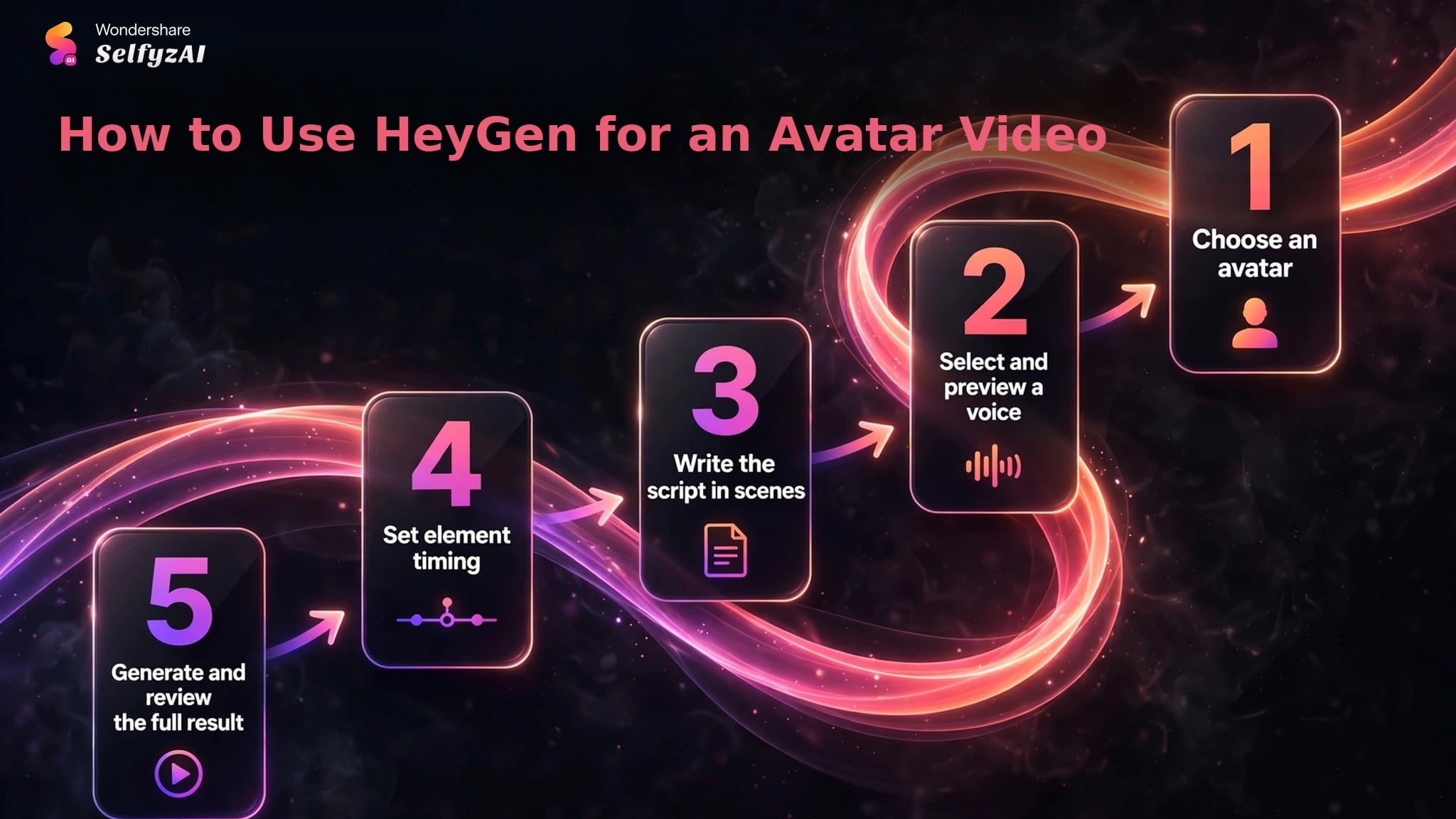
How to Use HeyGen for an Avatar Video
HeyGen's official Studio guide describes a scene-based, script-first process. The editor behaves more like a presentation builder than a conventional multitrack timeline, which is useful for repeatable explainers but affects how much visual timing control a user should expect.
-
Start with a public avatar, a photo avatar, or an approved custom avatar. Confirm that the selected avatar is attached to the scene rather than placed on the canvas as an ordinary image.
Done whenThe scene shows the intended speaking avatar in the avatar control.
-
Choose the accent, tone, speed, voice model, and engine available to the account. Preview the script audio before generating the animated video.
Done whenThe voice and pacing fit the message across the planned scenes.
-
Divide the message into short scene sections, add pauses where needed, and use a template or blank scene for each change in topic or layout.
Done whenEvery scene has a clear script section and visual purpose.
-
Select text or visual elements and place their timing markers against the script so that they appear and disappear at the intended lines.
Done whenOn-screen elements are aligned with the relevant script moments.
-
Submit the project for generation, then review lip sync, gestures, scene pacing, audio, and visual continuity. Revise only the scenes that materially affect the message.
Done whenThe rendered video communicates the script without distracting motion or timing errors.
HeyGen Features and Where Users See Value
The main value is not a single text-to-video button. HeyGen organizes avatar selection, script writing, voice settings, scenes, captions, music, uploaded audio, and generated footage into a presenter-focused workflow. That makes it easier to reproduce a format across onboarding, product education, internal updates, and social explainers.
Avatar-Led Production
Users can work with public avatars, photo avatars, or custom digital twins. The official guide also supports scene-level script sections, adjustable pauses, custom audio, and timing markers for on-screen elements. This combination is useful when the speaker is the structure of the video rather than one visual among many.
Positive Reddit comments commonly describe the talking-head result as convincing enough for explainers and routine presenter content, especially when the source photo, recorded footage, and audio are clean. Several users also stress that source quality affects the result. That is a practical preparation rule, not proof that every avatar will look equally natural.
Photo, Image, and Reference Inputs
HeyGen can animate a photo avatar and offers text, image, and reference-led video tools alongside its avatar products. These modes broaden the platform beyond corporate presenters, but the input should still match the intended job. A head-and-shoulders portrait is appropriate for a speaker; a product still or character sheet may be better served by image to video or a structured reference to video workflow.
Reddit reports are mixed on custom avatars. Some users say the setup becomes dependable after they learn how to prepare footage and scripts. Others mention a learning curve, repeated gestures, background-noise problems, or differences between the editor preview and the completed render. These reports are useful warnings to validate a production template before scaling it, but they do not establish a universal failure rate.
Voices, Localization, and Repeatable Scenes
HeyGen's voice controls cover accent, tone, speed, model, and engine where available. Teams can retain the avatar, layout, and scene pattern while changing the script, then review pronunciation, gestures, emphasis, and timing.
HeyGen Pricing and Credit Rules
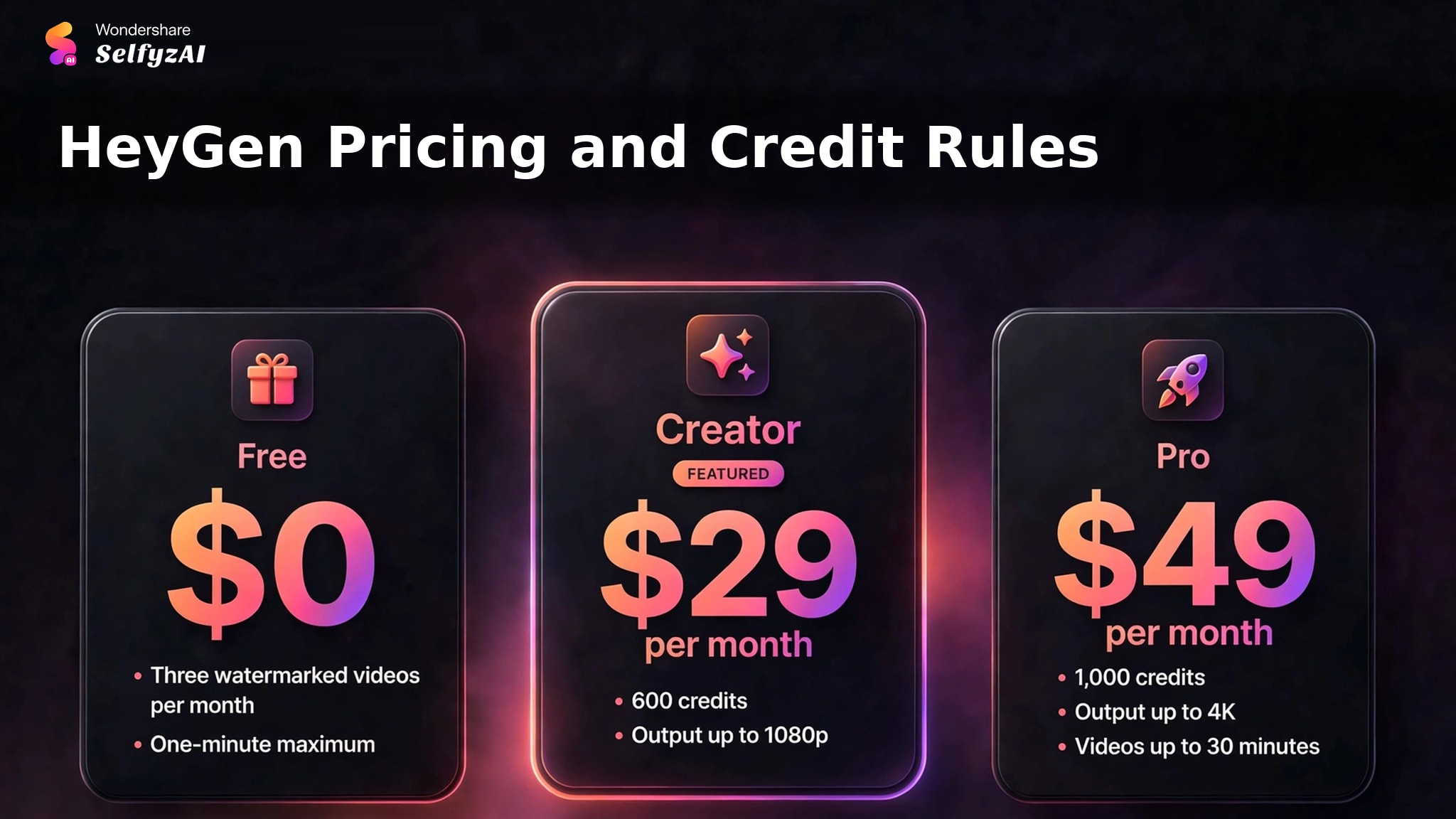
HeyGen's current pricing page lists a Free plan at $0 with three watermarked videos per month and a one-minute maximum. Creator is listed at $29 per month with 600 credits and output up to 1080p. Pro is listed at $49 per month with 1,000 credits, output up to 4K, and videos up to 30 minutes.
The plan price is only the first cost variable. HeyGen states that credit use changes with model, duration, and complexity. A simple presenter clip and a more demanding generated sequence therefore should not be budgeted as equivalent jobs. Before scaling a recurring series, creators should record the credits consumed by a representative episode, the number of revisions, and the final export settings.
Real Limitations
HeyGen's constraints are most visible when the project moves beyond a straightforward single-presenter script.
A Full Avatar Preview Requires Generation
The official Studio guide says users can preview voices and scripts while editing, but not the complete animated avatar video. The full result appears after submission because the avatar animation must be generated. This creates a cost-and-time implication: gesture, lip-sync, and scene problems may only become visible after credits have been committed.
The safest approach is to validate a short scene before producing a long sequence. Reuse that proven avatar, camera framing, voice, and scene pattern once the result is acceptable.
Credit Cost Is Variable
Credits change with model, duration, and complexity, and the free plan is restricted by watermark and duration. Users who make several small prompt or motion changes can spend more than the monthly headline suggests. Reddit comments about rapid credit use reinforce the need for budgeting, but the exact consumption reported by one account should not be applied to another.
SelfyzAI also meters third-party video models, so a fair comparison should use the current pricing and the same expected number of attempts on both platforms. Neither subscription label alone predicts the finished cost of a usable clip.
Complex Direction Can Need More Manual Iteration
Community threads include reports of slow interface behavior, limited prompt control, repeated gestures, and difficulty directing multiple specific people. In one reviewed discussion, a verified HeyGen employee acknowledged that controlling several specific people remained difficult. These are meaningful workflow signals, but not controlled performance measurements.
Creators who need a precise action may want to compare a dedicated motion control route rather than asking an avatar scene to carry every movement requirement. HeyGen remains the clearer fit when the main task is a presenter reading a script.
Custom Avatars Need Better Source Preparation
Custom-avatar quality depends on footage, framing, audio, and consent. A short calibration script and clean recording setup can reduce avoidable revisions.
HeyGen vs SelfyzAI: Workflow Decision Table
This comparison concerns workflow fit, not a claim of consistently better output from either platform. HeyGen is organized around avatars and repeatable presenter scenes. SelfyzAI's AI video generator is organized around multiple video-generation inputs and named model choices.
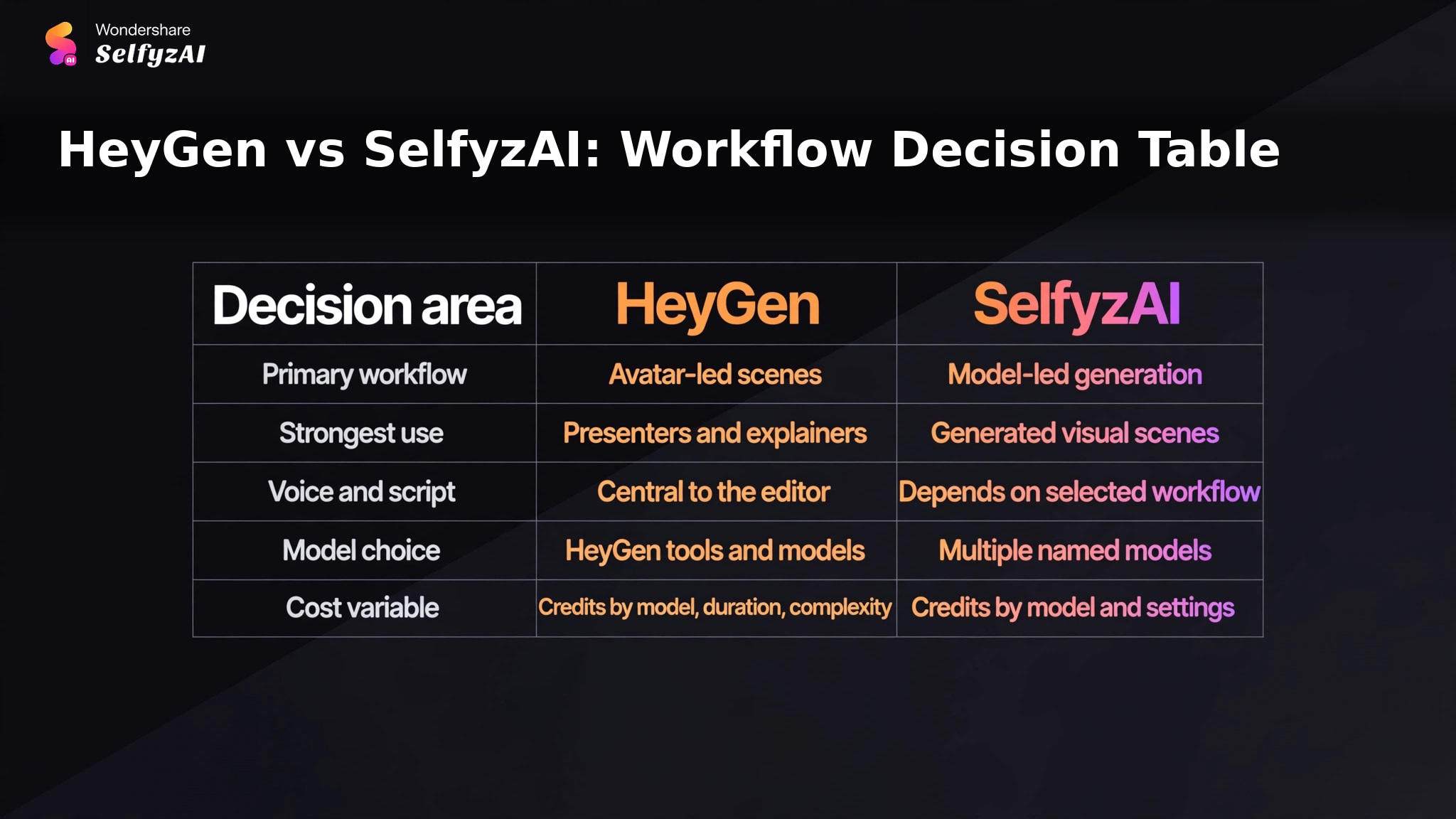
| Decision area | HeyGen | SelfyzAI | Better fit when |
|---|---|---|---|
| Primary workflow | Avatar-led scenes | Model-led generation | The input type is already clear |
| Strongest use | Presenters and explainers | Generated visual scenes | The deliverable matches the workflow |
| Voice and script | Central to the editor | Depends on selected workflow | Spoken delivery drives the project |
| Model choice | HeyGen tools and models | Multiple named models | Comparing generation approaches matters |
| Cost variable | Credits by model, duration, complexity | Credits by model and settings | A sample episode can be budgeted first |
We score SelfyzAI for non-avatar video work with this documented rubric: workflow fit 40% (8.0), input flexibility 25% (9.0), model choice 20% (9.0), and cost transparency 15% (7.5). The weighted result is 8.4/10; it measures workflow fit, not comparative output quality.
Our verdict
Choose SelfyzAI when avatar delivery is not the core requirement.
SelfyzAI fits scene-generation projects that need text, image, or reference inputs and named models. It is not a talking-avatar replacement, and third-party model credits vary by settings.
Pros
- Multiple named models
- Separate input workflows
- Reference and motion tools
Compare current models and choose the input workflow that matches your source material.
Explore AI videoWho HeyGen Fits, and Who May Need Another Workflow
HeyGen fits training teams, marketers, educators, and internal-communications teams that need a consistent on-screen speaker without recording each update. It is also useful for localized scripts when the voice and avatar remain stable across versions.
It is a weaker fit when the creative objective is cinematic scene generation, several tightly controlled people, or detailed motion choreography. In those cases, a model-led generator or separate motion workflow may reduce the mismatch between the prompt and the tool's core design.
Choose HeyGen when the presenter is the product; compare model-led workflows when the generated scene is the product.
Frequently asked questions
Is HeyGen an AI video generator?
Yes. HeyGen generates avatar videos and also provides text, image, and reference-led video tools. Its clearest specialization is the script-first avatar workflow for presenter content.
How do you use HeyGen text to video?
Choose the appropriate HeyGen video workflow, enter the script or prompt, select the avatar or generation mode, set voice and scene options, submit the project, and review the rendered result. For avatar videos, build the script in short scenes and validate one scene before generating a long project.
Can HeyGen create an AI avatar video from text?
Yes. A user can choose an avatar and voice, enter a script, organize it into scenes, adjust pauses and element timing, and submit the project for generation.
Is HeyGen free, and does the free plan add a watermark?
HeyGen lists a $0 Free plan with three videos per month, a one-minute maximum, and a watermark. The live pricing page should be checked before starting because plan terms can change.
What do Reddit users report about HeyGen video quality?
The reviewed threads contain both positive reports about presenter-style results and negative reports about repeated gestures, source-quality sensitivity, custom-avatar setup, prompt control, and preview-to-render differences. These comments are anecdotal and should be used as test questions, not as a predicted result for every project.
Conclusion
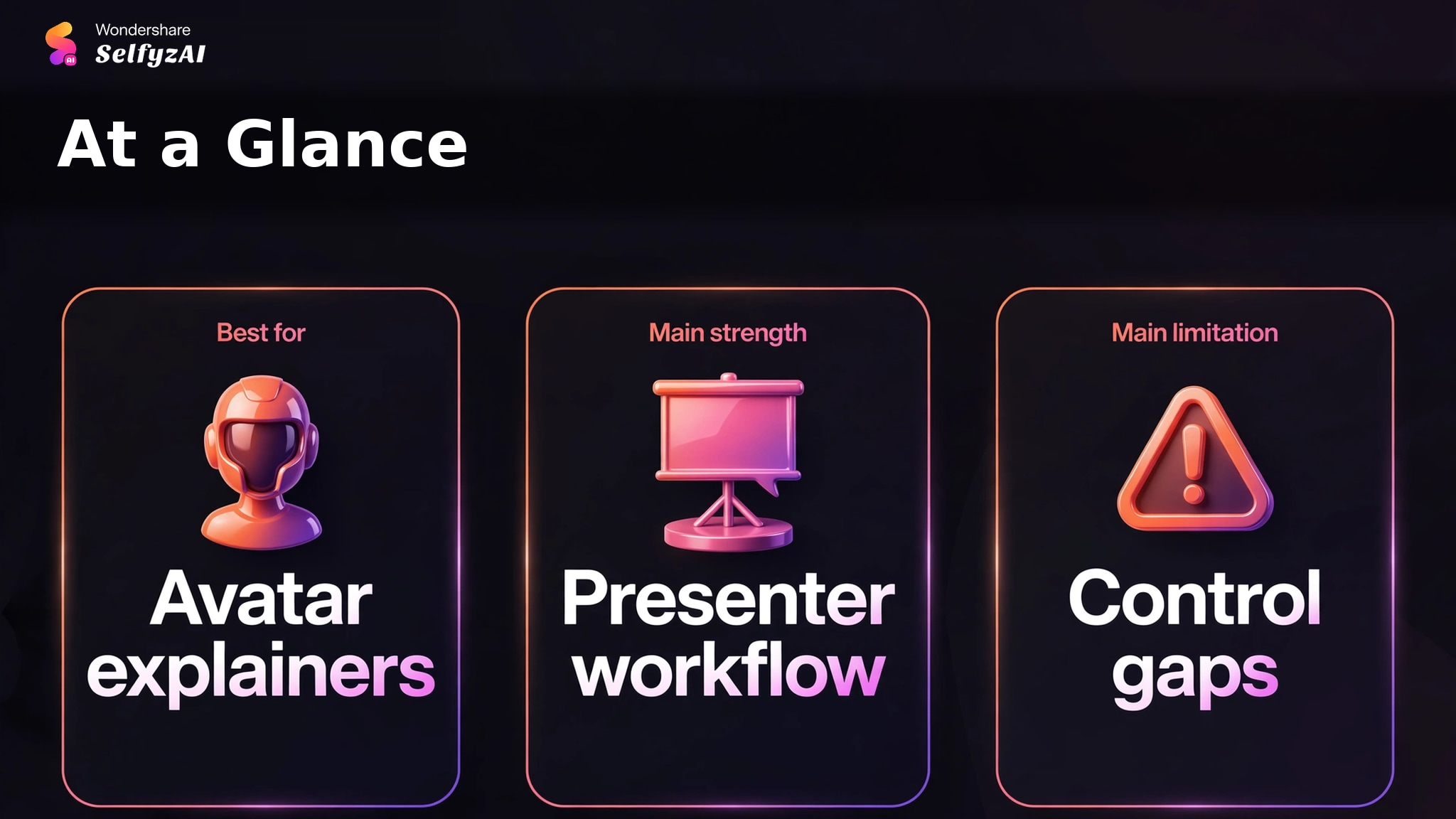
HeyGen is a focused choice for avatar explainers, training, localization, and repeatable presenter videos. Its script, scene, voice, and avatar controls support that job more directly than a general video generator.
The trade-offs are variable credit use, no complete animated preview before generation, and greater iteration risk for complex direction. Start with a short scene, track credits, and expand only after the avatar, voice, gestures, and timing are acceptable.