
What You Need for Better Results
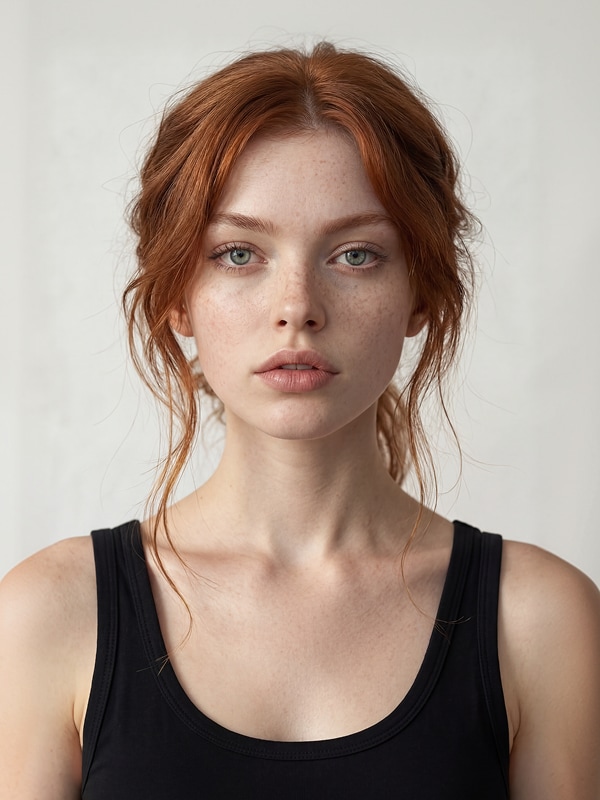
Choose the source before choosing the costume. A clean input gives the model more useful identity and body information than a heavily filtered or compressed selfie.
- One clear portrait: front-facing or three-quarter, visible eyes, complete hairline, and no object covering the jaw.
- Enough clothing area: use a waist-up or full-body source when the costume silhouette matters. A face-only crop cannot provide a natural starting pose for a long gown.
- Simple lighting: even light helps the generator distinguish facial features before it adds candlelight, moonlight, or theatrical shadows.
- One primary costume idea: witch, vampire, ghost bride, skeleton queen, haunted doll, pumpkin sorceress, dark angel, or retro alien. Mixing several concepts usually weakens each one.
- Optional visual references: a fabric, pose, or atmosphere reference can clarify the direction, but use images you have the right to use and avoid copying a protected costume or character.
If the workflow calls for more than one visual reference, reference to video is relevant later when you animate the final concept. For the still image, keep the identity portrait as the clearest reference and describe supporting materials in words unless the selected model accepts them.
How to Create an AI Halloween Costume in SelfyzAI
1. Choose a template or image model
Open the AI image generator for a prompt-led transformation, or start with the AI effects library when a ready-made Halloween style already matches the effect you want. The image workspace includes model options such as Nano Banana, GPT Image, and the SelfyzAI model; use the choices visible in the current picker.
2. Upload and crop the portrait
Keep the face large enough to read and include the body area that the new outfit needs. For a full gown or dramatic sleeves, a wider source is usually more useful than a close headshot. Do not crop through hands if they remain visible.
3. Describe the visual effect
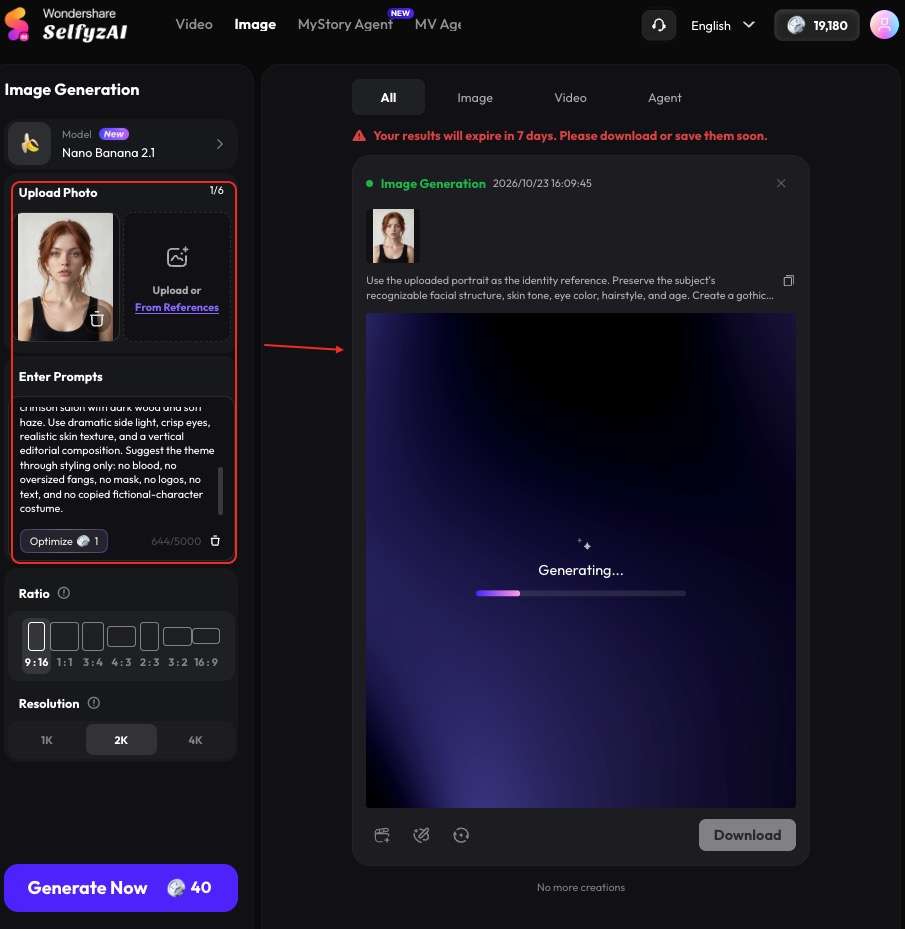
Begin with identity preservation. Then specify the costume silhouette, materials, colors, makeup, setting, lighting, and camera style. Finish with exclusions such as no mask, no readable text, no extra fingers, and no copied character design. In the next part, I will introduce some prompts with the generated images for your reference.
4. Generate a small comparison set
Credits are used for image, video, and effect generation. The amount varies by model and generation type, so check the amount displayed in the workspace before you render. Compare a small set for identity, costume shape, anatomy, and scene coherence before increasing scale or resolution.
5. Revise one problem at a time
If the face drifts, reduce makeup and move identity details to the first line. If the outfit looks generic, add material, silhouette, and one defining accessory. If the composition is crowded, remove props before changing models.
8 AI Halloween Costume Effects to Try
Each prompt assumes one uploaded portrait. Adjust pronouns and source-specific features as needed. The “what to look for” note is an editorial review checklist, not a report of a completed generation.
1. Gothic Vampire
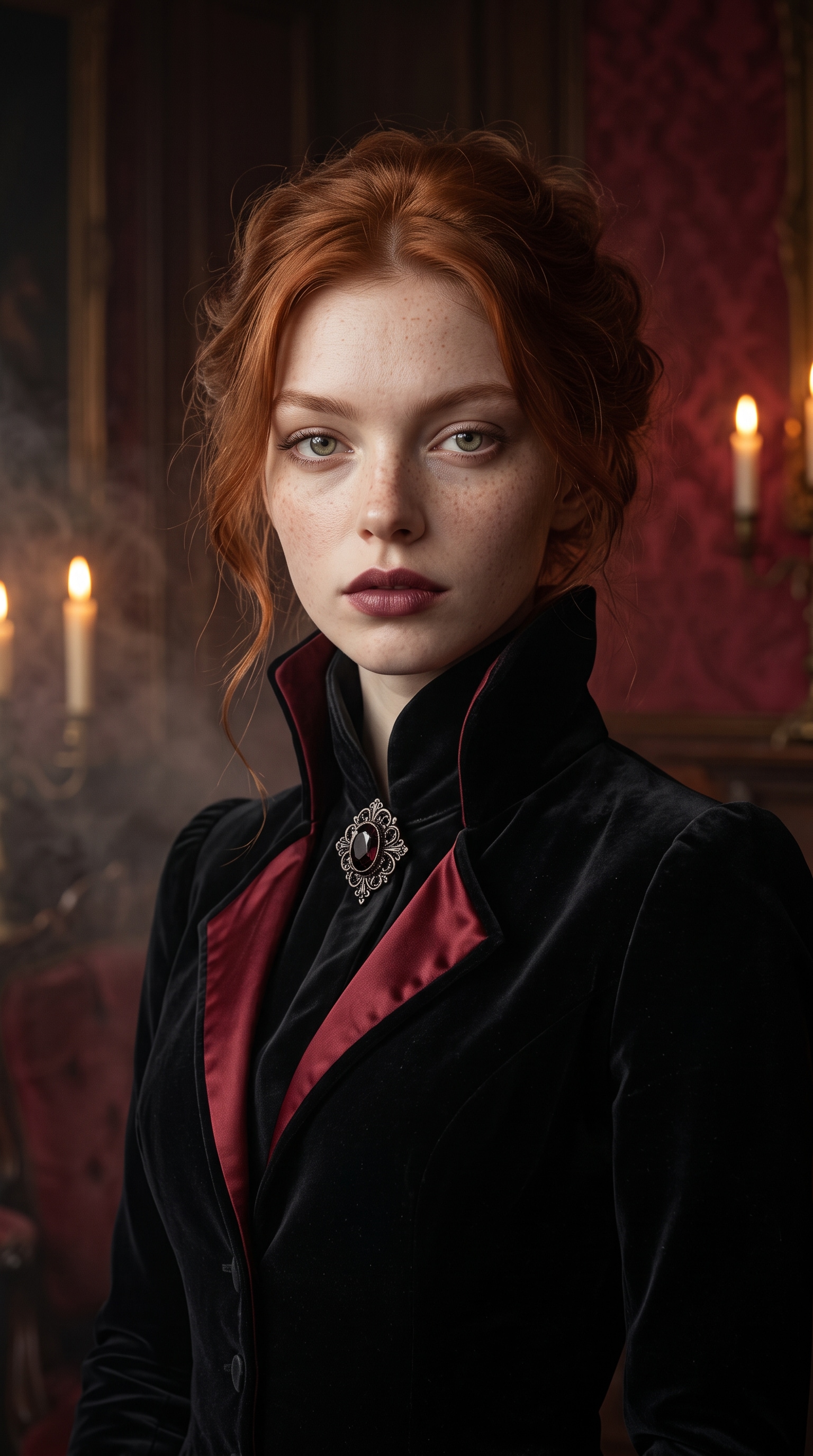
Prompt: Use the uploaded portrait as the identity reference. Preserve the subject's recognizable facial structure, skin tone, eye color, hairstyle, and age. Create a gothic vampire fashion portrait with a fitted black velvet jacket, sculptural high collar, dark-red satin lining, subtle burgundy lipstick, and one antique-style brooch. Place the subject in a candlelit crimson salon with dark wood and soft haze. Use dramatic side light, crisp eyes, realistic skin texture, and a vertical editorial composition. Suggest the theme through styling only: no blood, no oversized fangs, no mask, no logos, no text, and no copied fictional-character costume.
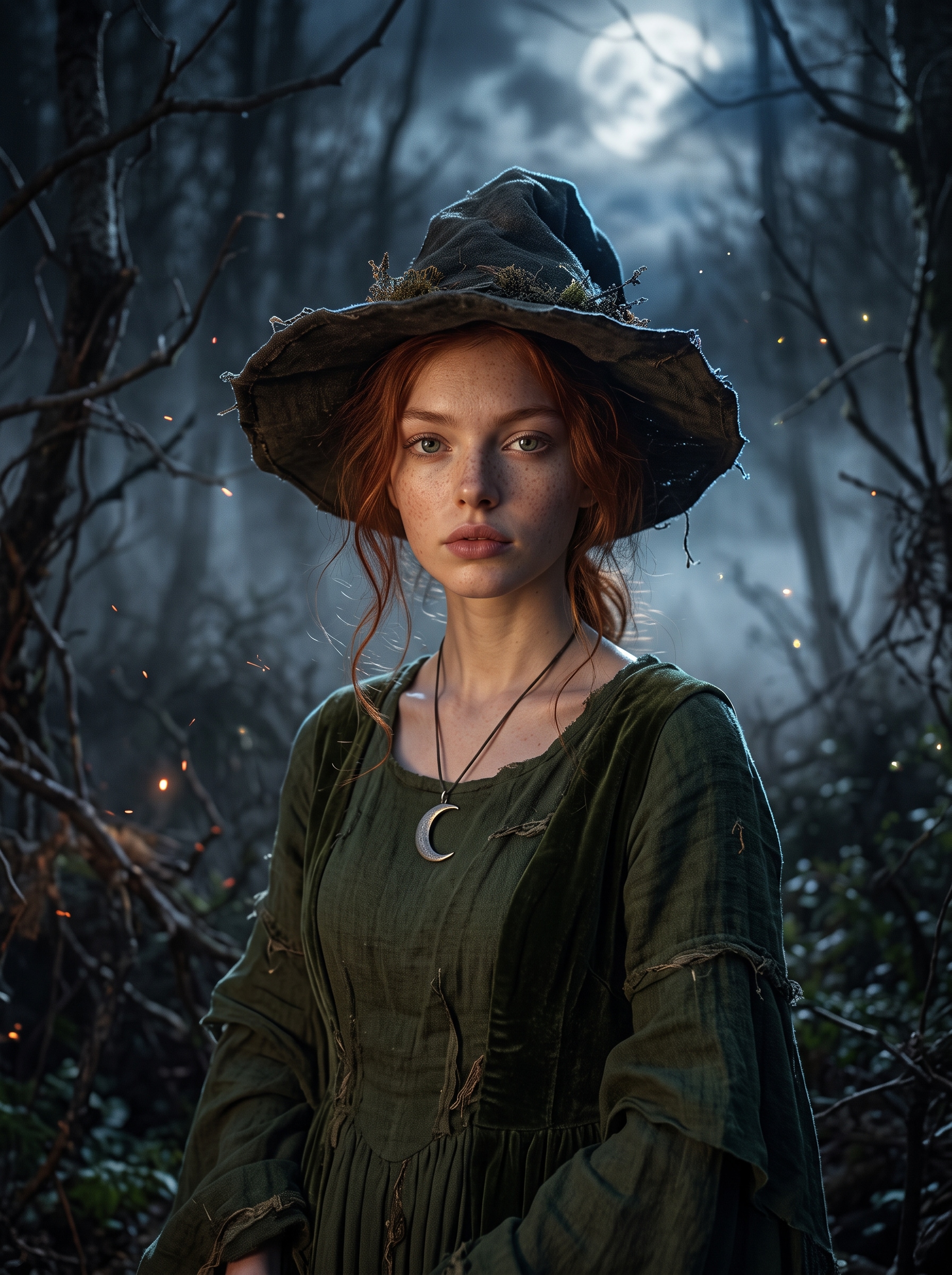
2. Moonlit Forest Witch
Prompt: Keep the uploaded subject recognizable, including face shape, skin tone, eye color, hairstyle, and approximate age. Dress the subject as a moonlit forest witch in a deep moss-green gown with layered sleeves, a weathered wide-brim hat, and a simple crescent pendant. Add bare branches, silver fog, small glowing embers, and a clouded moon. Use cool blue rim light, soft warm light on the face, realistic fabric, shallow depth of field, and cinematic portrait photography. No face-covering hair, no text, no extra fingers, no duplicate jewelry, and no protected character styling.
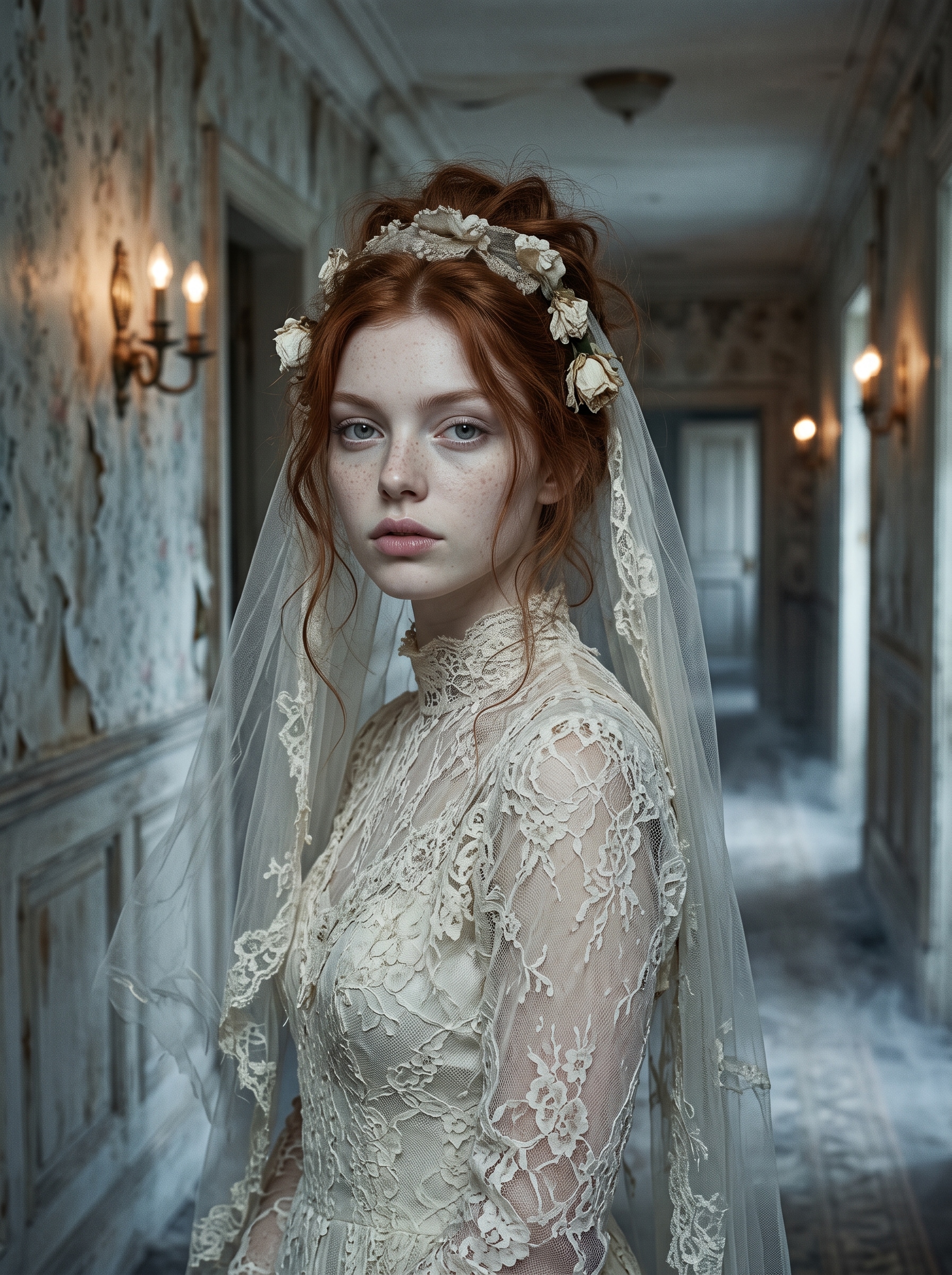
3. Ghost Bride
Prompt: Use the uploaded portrait as the identity anchor and preserve recognizable facial proportions, skin tone, eye color, hair, and age. Transform the subject into a ghost bride wearing an aged ivory lace gown, a translucent shoulder-length veil behind the face, faded white flowers, and restrained pale makeup. Place the portrait in an old hotel corridor with antique wall lights, peeling wallpaper, light floor fog, and a distant doorway. Use muted cream and blue-gray colors, realistic editorial photography, fine film grain, and gentle movement in the veil. No blood, no wounds, no text, no extra limbs, and no copied film or game character design.
4. Skeleton Queen
Prompt: Preserve the uploaded subject's face, skin tone, eye color, hairstyle, and age. Create a skeleton-queen costume with elegant black-and-silver bone-inspired makeup around the eyes and cheekbones, a structured black gown, metallic shoulder details, and an abstract branch crown. Keep the human face visible beneath the makeup. Use a charcoal studio backdrop, cool rim light, soft frontal beauty light, symmetrical framing, and sharp high-fashion photography. No exposed gore, no extra teeth, no face replacement, no text, no extra fingers, and no costume copied from an existing character.
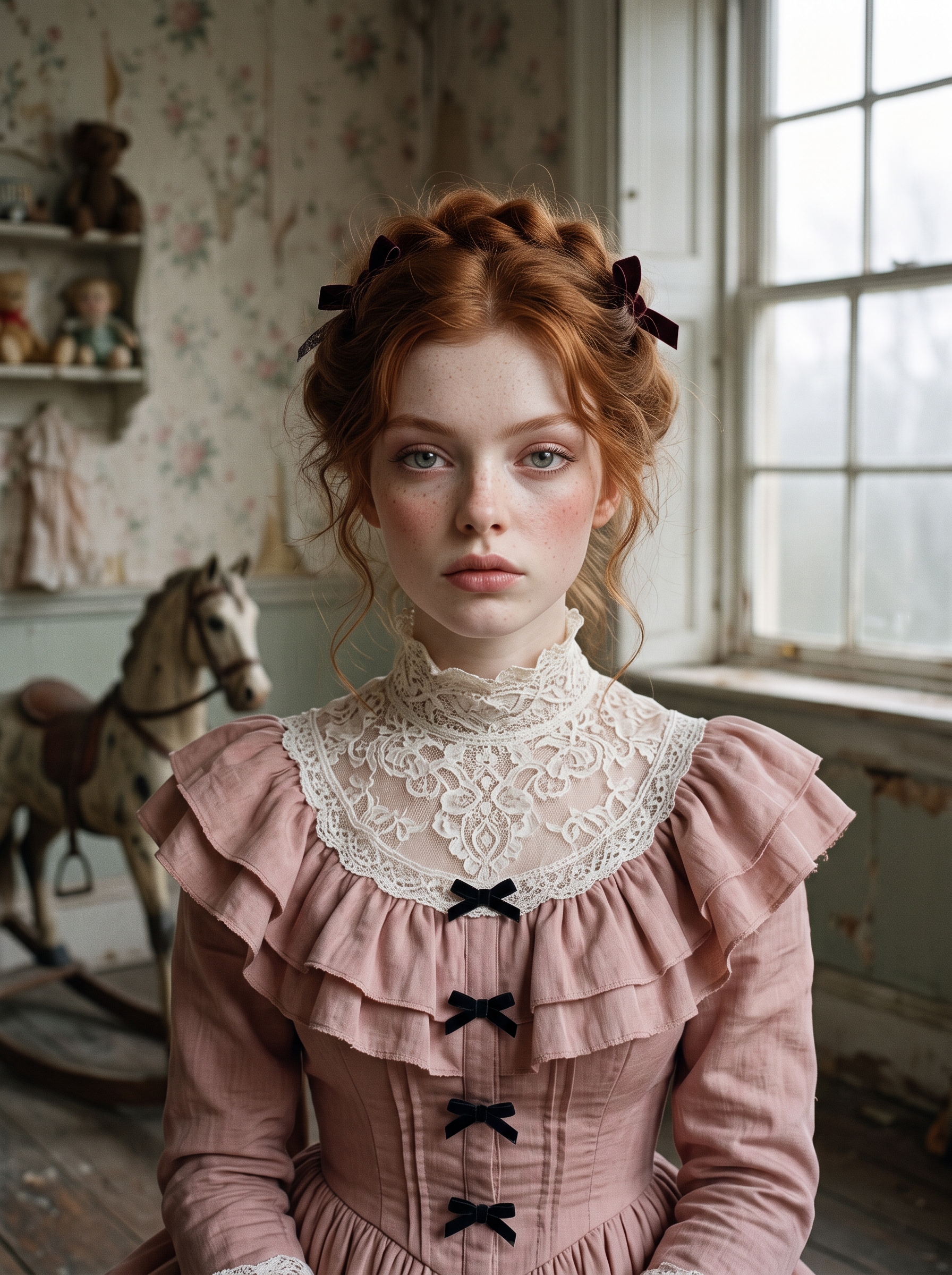
5. Haunted Porcelain Doll
Prompt: Use the uploaded portrait as the identity reference and retain the subject's recognizable facial structure, skin tone, eyes, hairstyle, and age. Style the subject as a haunted porcelain-doll fashion portrait in a dusty-pink structured dress, white lace collar, small velvet bows, and delicate doll-inspired makeup. Place the subject in an antique nursery with faded floral wallpaper, a wooden rocking horse, and soft fog at the window. Use symmetrical composition, muted pastels, fine grain, and soft frontal light. Keep the skin human and realistic without a ceramic-surface effect. No childlike body proportions, no text, no duplicate eyes, no extra fingers, and no copyrighted doll design.
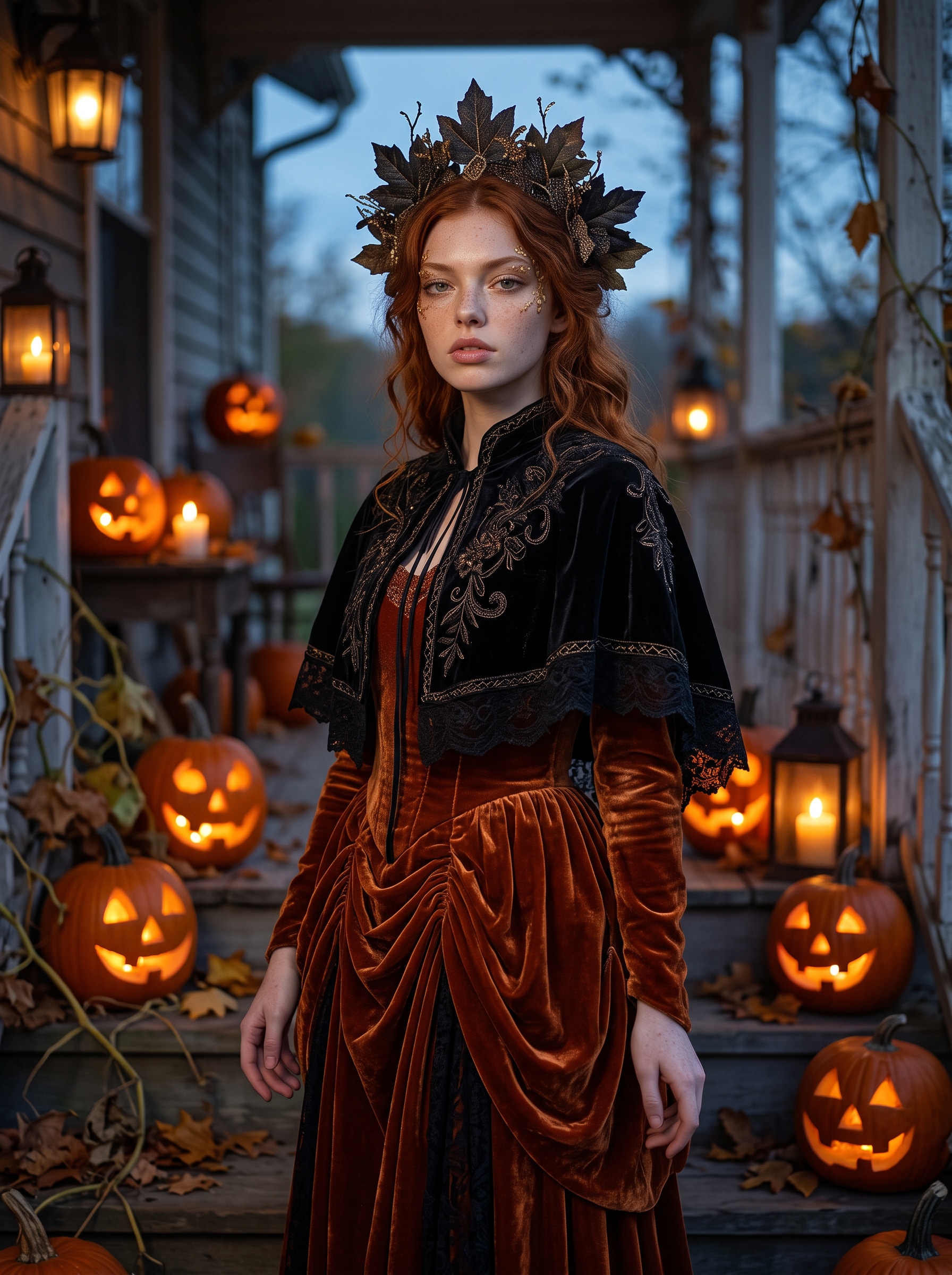
6. Pumpkin Sorceress
Prompt: Preserve the identity of the person in the uploaded portrait, including face shape, skin tone, eye color, hair, and age. Create a pumpkin-sorceress costume with a burnt-orange velvet gown, black embroidered capelet, dark leaf-shaped headpiece, and subtle gold makeup accents. Place the subject on a twilight porch surrounded by carved pumpkins, dry leaves, and warm lantern light. Add cool blue evening fill, realistic textile detail, a confident three-quarter pose, and cinematic 50mm photography. No readable carvings, no face mask, no extra hands, no logos, and no protected character design.
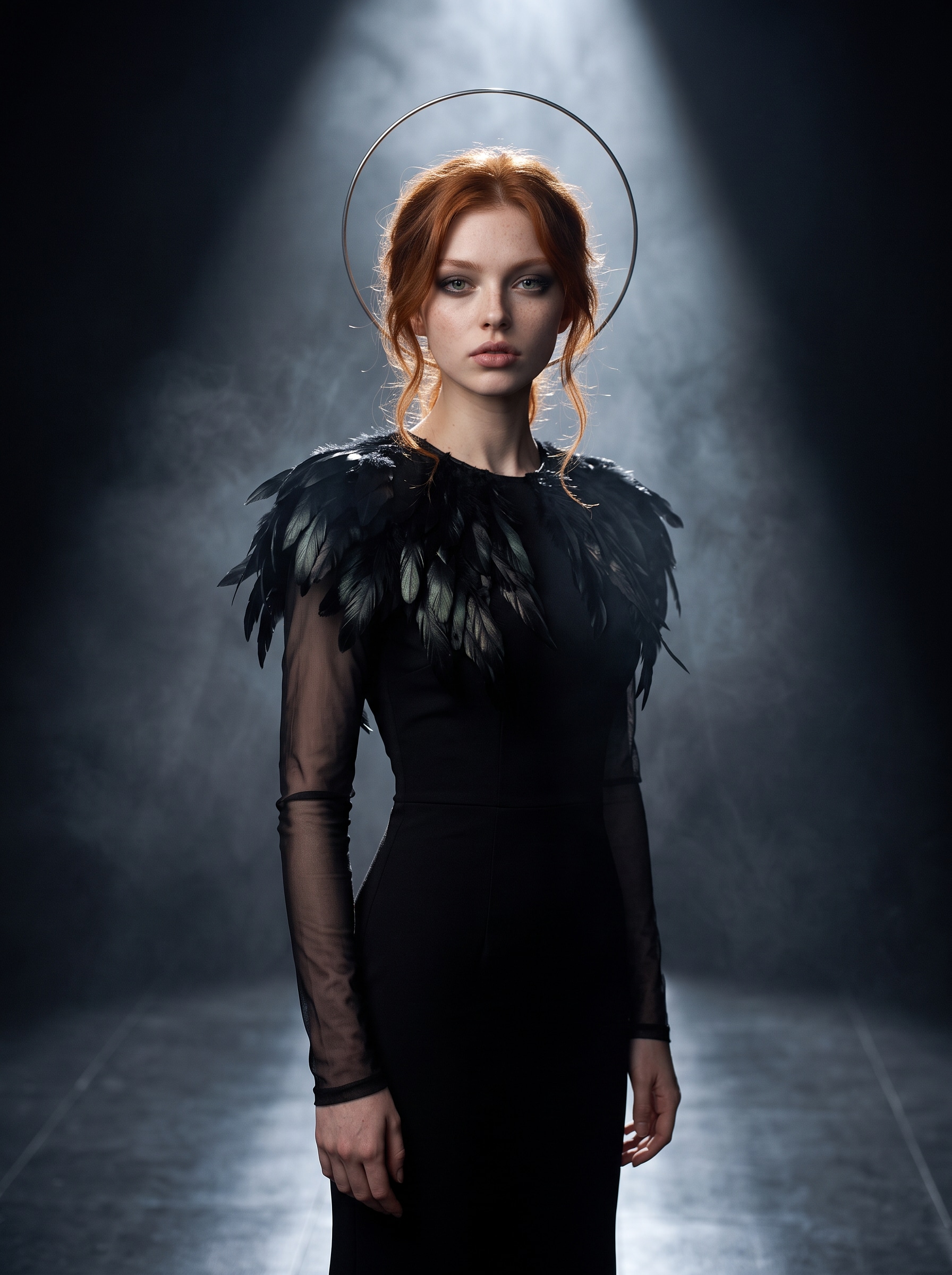
7. Dark Feathered Angel
Prompt: Use the uploaded portrait as the identity reference. Preserve the subject's face, skin tone, eye color, hairstyle, and age. Dress the subject in a fitted black gown with layered feather-like shoulder pieces, long translucent sleeves, a slim metallic halo shape behind the head, and restrained smoky makeup. Set the portrait in a dark studio with drifting haze, a reflective floor, and a narrow white spotlight. Use a strong silhouette, clean rim light, realistic materials, and an elegant editorial mood. No religious symbols, no giant wings covering the body, no text, no extra limbs, no logos, and no copied fantasy character.
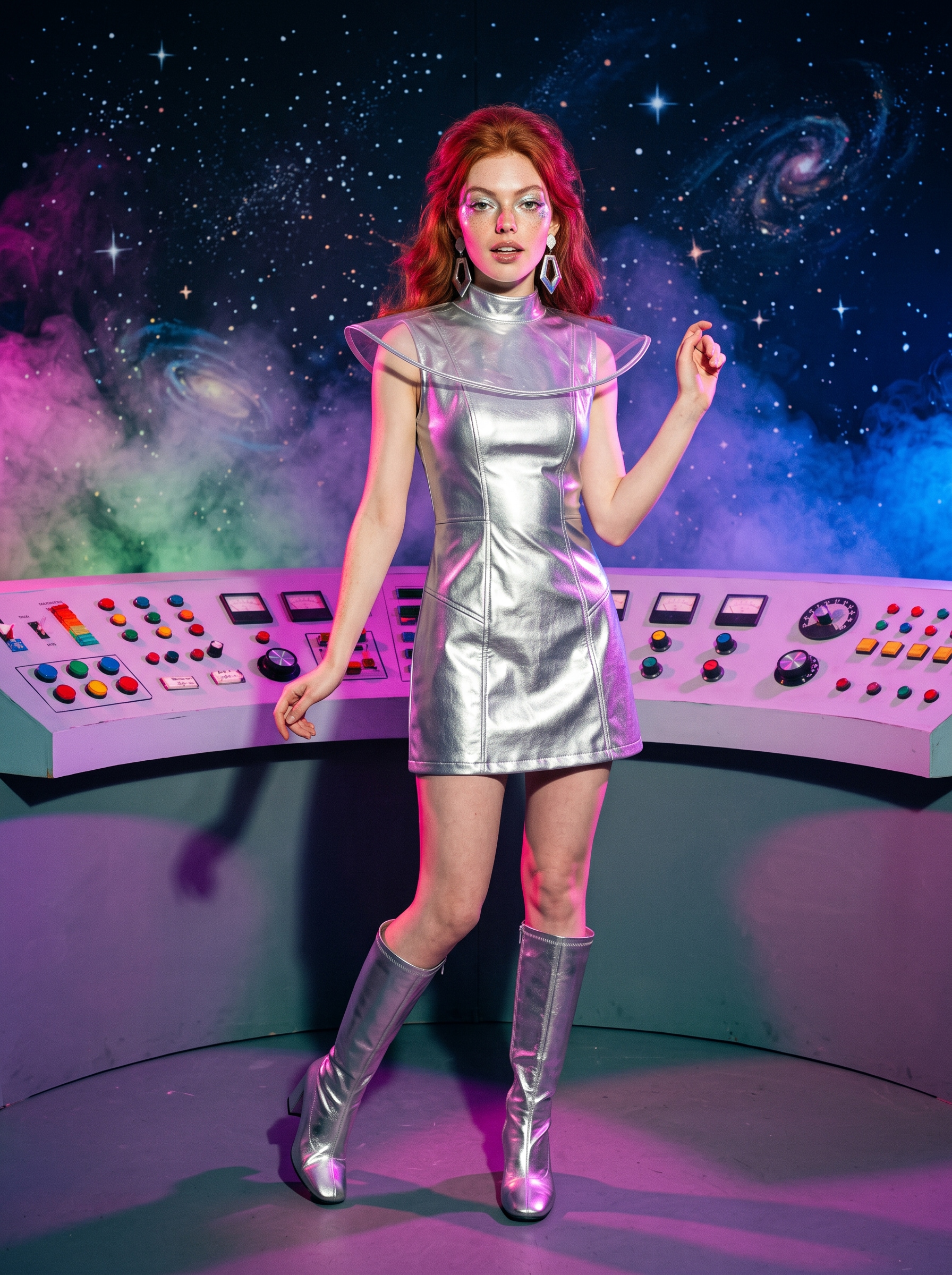
8. Retro Space Alien
Prompt: Keep the uploaded subject recognizable, preserving facial proportions, skin tone, eye color, hairstyle, and approximate age. Create an original retro space-alien Halloween costume with a silver vinyl mini-dress or fitted jumpsuit, translucent collar, geometric earrings, metallic boots, and subtle iridescent eye makeup. Place the subject on a handmade 1960s-style science-fiction set with painted stars, curved control panels with no readable labels, colored fog, and magenta-blue studio lights. Use direct flash, playful full-body posing, crisp fashion photography, and slight film grain. No green face replacement, no logos, no text, no extra fingers, and no design based on an existing franchise.
For broader seasonal photo concepts beyond clothing, AI Halloween Trend: How to Make Yours includes eight portrait scenes. For a larger copy-and-paste library, 15 Gemini AI Halloween Prompts for Selfies covers retro, gothic, group, decoration, and invitation prompts.
Improve a Generated Costume Result
Keep the face recognizable
Move the identity instruction to the first sentence and repeat only the most important traits: facial structure, skin tone, eyes, hairstyle, and age. Reduce masks, prosthetics, opaque veils, extreme face paint, and underlighting before adding more identity language.
Make the outfit less generic
Name a silhouette, two materials, a controlled palette, and one defining accessory. “Black witch costume” gives little direction. “Moss-green layered gown, weathered hat, crescent pendant, moonlit forest” gives the model a coherent set of visual decisions.
Simplify hands and accessories
Hands become harder to resolve when a prompt adds rings, cards, candles, lace, long nails, and props simultaneously. Remove secondary objects, request a waist-up crop, or place the hands outside the frame when they do not support the concept.
Separate visual generation from typography
Ask for blank labels, abstract symbols, or negative space. Add invitation text, dates, brand copy, and captions afterward in a tool designed for exact typography.
Check rights and context
Build original costume descriptions instead of asking for a named fictional character. Use source portraits and references you are allowed to upload. Generated content can be used for social, advertising, marketing, UGC, and brand work subject to platform policies.
Turn the Costume Photo into a Halloween Video
Add restrained motion
Once the still is approved, upload it to image to video. Ask for a limited action that supports the costume: fog drifts behind the witch, candlelight flickers around the vampire, the ghost-bride veil moves gently, or the retro alien turns toward a colored light.
Use motion control when a defined body movement is more important than ambient motion. Review every frame for changes to the face, hands, collar, veil, wings, and crown.
Review the full sequence
Motion introduces new interpretation. A still image that looks correct does not ensure that every video frame preserves the same identity or garment detail. If the chosen output needs an additional resolution workflow, check the current video HD options and requirements. Keep early tests short and simple, and check the displayed credit requirement because video cost varies by model, duration, and resolution.
Frequently asked questions
Can I create an AI Halloween costume from one selfie?
Yes. A sharp selfie can support a face-focused or waist-up result. Use a wider portrait when the full costume silhouette matters, and keep identity instructions at the beginning of the prompt.
Is there a free AI Halloween costume generator?
Availability and account offers can change. SelfyzAI uses credits for image, video, and effect generation, with the amount varying by model and generation type. Check the workspace and current account terms before generating.
How do I keep my face when changing the costume?
Use a clear source, preserve specific identity traits, keep the face unobstructed, and begin with restrained makeup and lighting. If identity drifts, simplify the costume and scene before adding more prompt language.
Can I create couple or group Halloween costumes?
Yes, but every face should be visible in the source. Identify people by left-to-right position, assign one costume to each person, and reduce small props. Review carefully for merged faces, swapped clothing, and extra people.
Will the exported image or video have a watermark?
Free or unsubscribed exports include a watermark. Paid plans list watermark-free downloads. Verify current plan benefits before producing a final asset.
Can I get a refund if the costume result is not what I expected?
SelfyzAI's published policy states that all purchases are non-refundable. Check the displayed credit cost, begin with a focused prompt, and review a small set before spending on additional variations or video.
Conclusion
An effective AI Halloween costume starts with a readable portrait and one clear visual concept. Define the silhouette, materials, color palette, setting, lighting, and exclusions, then judge the result as an image: face, hands, costume edges, accessories, and background all need review. After the still works, add restrained motion rather than changing the idea.
Credit use varies by model, generation type, video duration, and resolution; free or unsubscribed exports include watermarks, paid plans list watermark-free downloads, and purchases are non-refundable. Review current plans and pricing before generating a larger costume set.